



What You Can Track with Our Facebook Ads Dashboards
Our Facebook Ads Data Studio templates give you complete visibility into your Meta advertising performance and return on ad spend (ROAS).
With these dashboards, you can:
- Measure reach, impressions, clicks, CTR, CPC, and conversions
- Track ad spend and compare performance across campaigns, ad sets, and creatives
- Understand audience demographics, location, and engagement behavior
- Compare performance between Facebook, Instagram, and Messenger ads
- Automate your Facebook Ads reports for clients or internal teams with real-time updates
Which Facebook Ads Dashboard Should You Choose?
Below you’ll find the most powerful Facebook Ads reporting dashboards to visualize, analyze, and automate your Meta Ads data.
Template 1. Facebook Ads Data Studio Template
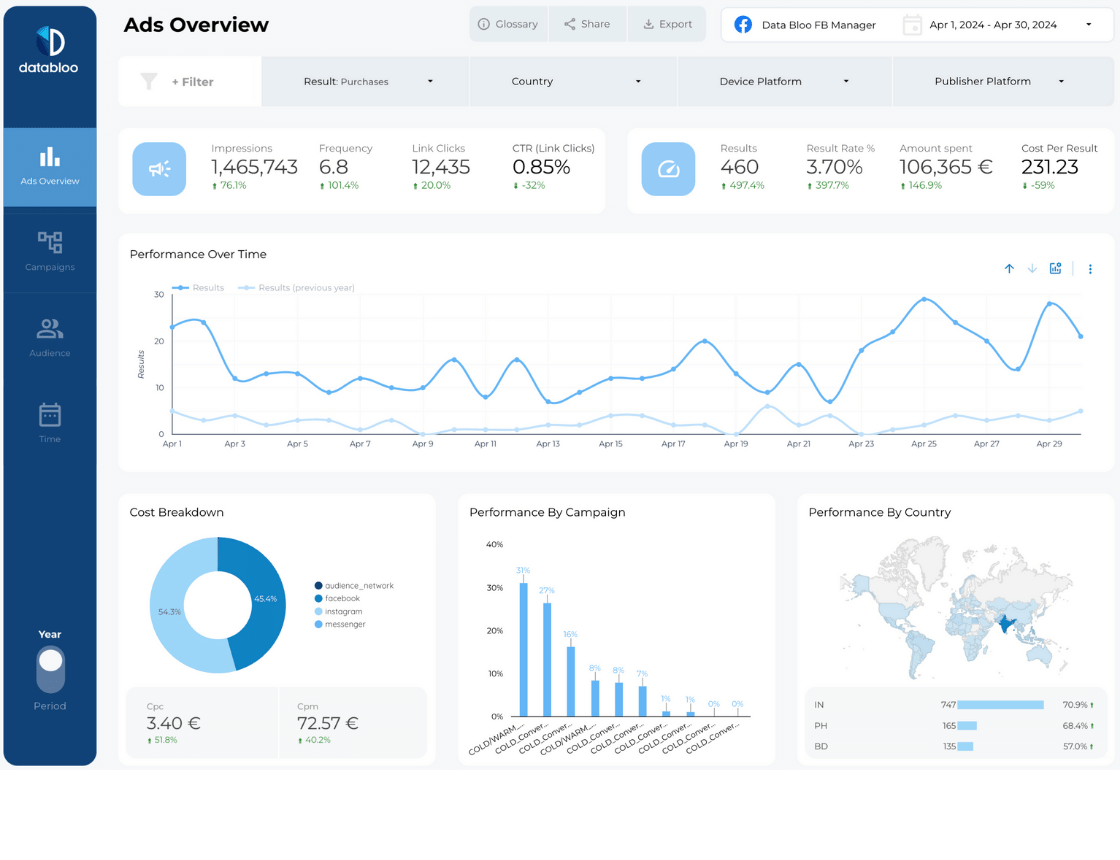
The Facebook Ads Dashboard provides an all-in-one overview of your Meta Ads performance — including Facebook, Instagram, and Messenger campaigns. It’s designed to help marketers and agencies measure engagement, audience behavior, and conversion performance in one central place.
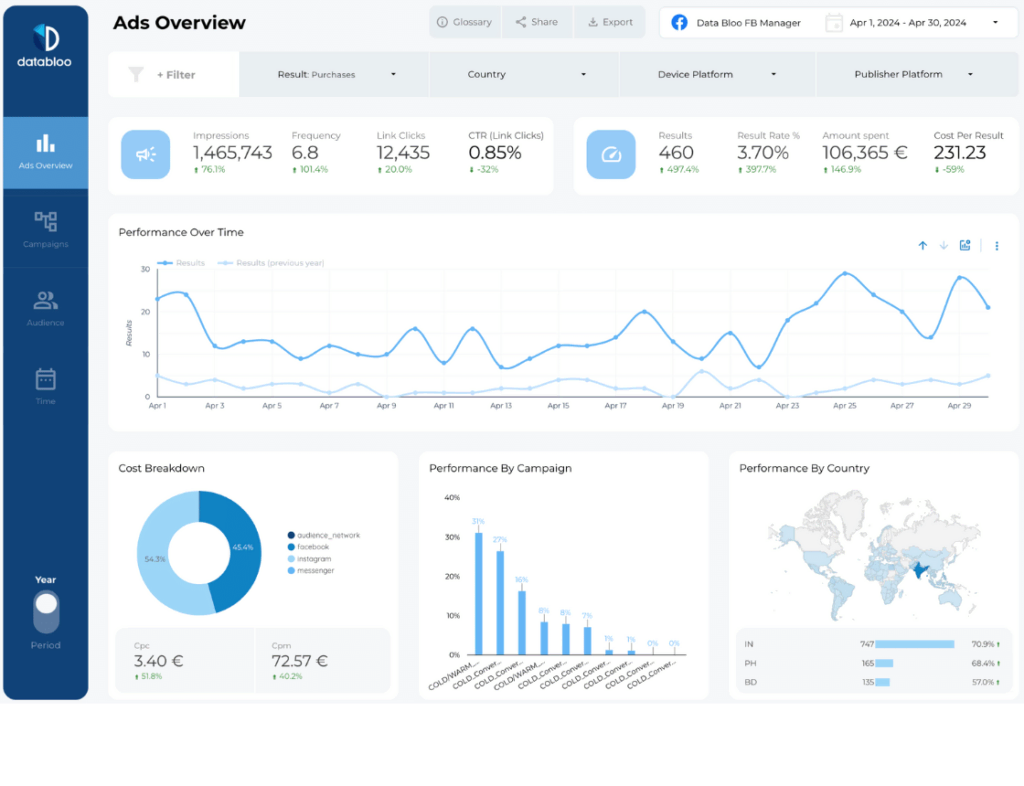
Choose this Facebook Ads report to:
- Track reach, impressions, clicks, and ad spend across Meta platforms
- Measure conversions and cost per result (leads, purchases, signups, etc.)
- Identify the best-performing audiences, placements, and creative formats
- Compare performance over time to optimize bidding and budgets
What questions it answers:
- Which ad creatives generate the highest ROI across Meta platforms?
- Who are my most engaged audience segments?
- How are performance metrics trending week over week?
Template 2. Digital Performance Master Template
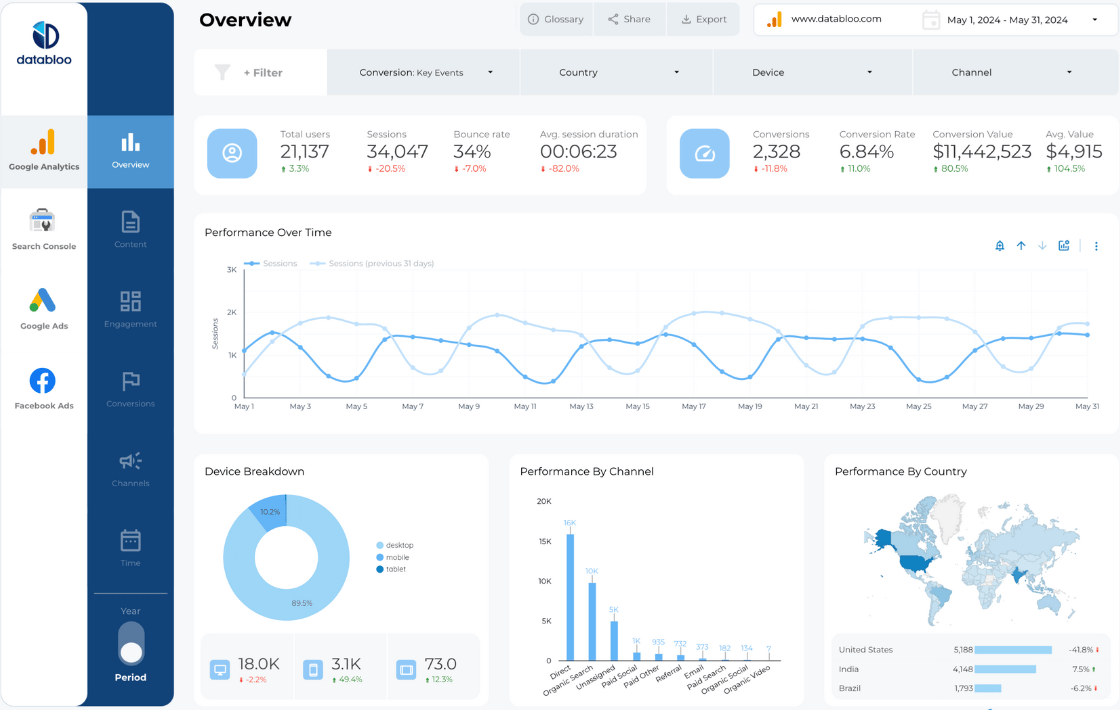
The Digital Performance Master Template combines your Facebook Ads data with Google Ads, GA4, and Search Console — creating a unified Facebook Ads reporting dashboard for cross-channel performance. Perfect for agencies and in-house marketing teams looking to understand paid performance across multiple networks.
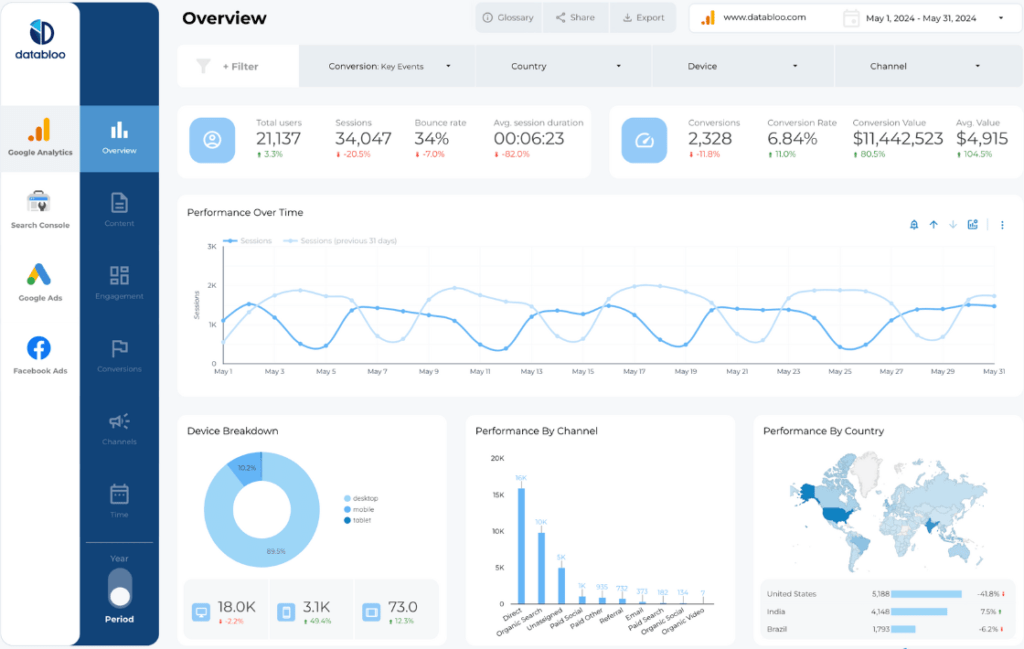
Choose this Facebook Ads dashboard to:
- Evaluate campaign performance across all digital channels
- Track ROI from Meta Ads alongside Google Ads and organic traffic
- Customize visuals and KPIs for client-ready reporting
- Monitor top campaigns and optimize ad spend across multiple platforms
What questions it answers:
- How do Facebook Ads compare to Google Ads and other channels?
- Which platform delivers the best conversion cost and ROAS?
- Are we improving overall digital performance month-over-month?
Template 3. Custom Master Template
For maximum flexibility, use the Custom Master Template to create your own Facebook Ads dashboard in Data Studio. Connect your Meta Ads account and integrate other sources like Google Ads, Analytics, or Search Console to get a complete view of your marketing funnel.
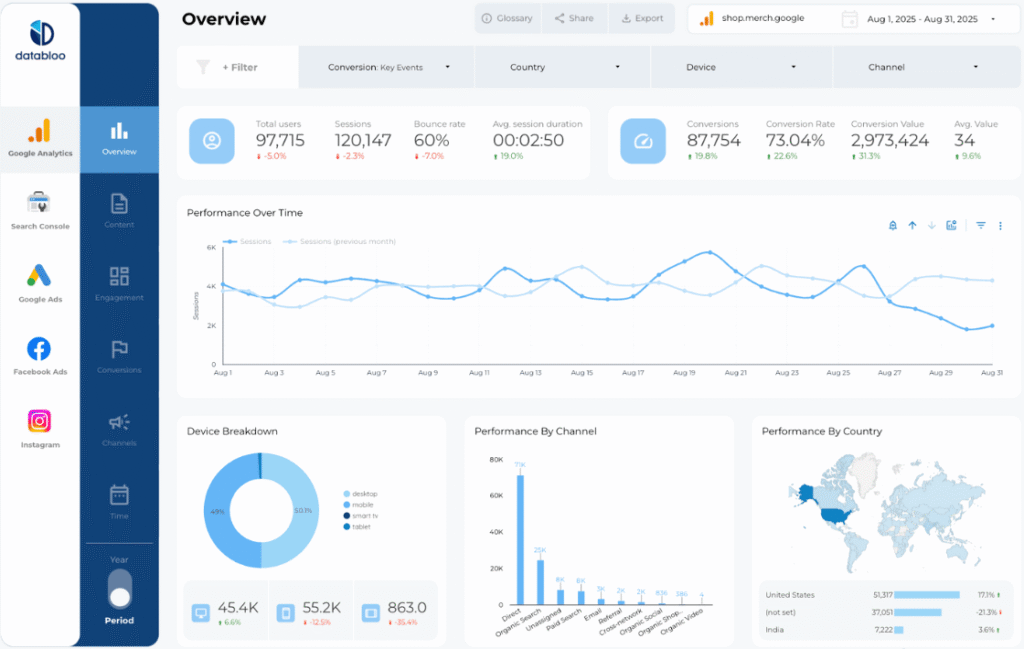
Choose this Facebook Ads report to:
- Build a tailor-made dashboard that reflects your specific KPIs
- Combine Meta Ads with data from other platforms
- Customize visuals, filters, and dimensions for white-label reporting
- Automate performance tracking with real-time data updates
What questions it answers:
- How can I integrate Facebook Ads data with other channels?
- Which KPIs are most important for my clients or campaigns?
- Can I automate Facebook Ads reporting for multiple accounts?
Can I Customize My Facebook Ads Dashboard
Absolutely. Each Facebook Ads report can be fully customized in Data Studio to fit your business or client goals. You can:
- Adjust layout, charts, and filters with drag-and-drop ease
- Add your logo and brand colors for a white-label experience
- Include new metrics like cost per lead or engagement rate
- Integrate with GA4, Google Ads, and other data sources
How to Automate Facebook Ads Reporting
Once connected to your Meta account, your Facebook Ads dashboards update automatically in real time.
No more exporting CSV files or building manual reports — your latest campaign data appears instantly in Data Studio, ready to share or schedule via email.
You can also automate delivery to clients or stakeholders on a daily, weekly, or monthly basis for effortless ongoing reporting.
Why Use Data Bloo’s Facebook Ads Dashboards?
- Real-time automation – stay synced with Meta Ads data 24/7
- Cross-channel visibility – connect Facebook, Google, and GA4 data
- Customizable and white-label ready – tailor for your clients or team
- Trusted by agencies – built for speed, clarity, and precision