Table of Contents
Google Ads reporting is a balancing act. Give a client too much data, and they get overwhelmed. Give them too little, and they question your management fee.
The problem with the default Google Ads interface is that it’s built for media buyers, not for clients. Clients don’t want to dig through “Auction Insights” or “Quality Score” columns—they want to know if their budget is generating profit.
To help you communicate value faster, we’ve curated the 5 best Google Ads report examples for 2026. These Looker Studio templates turn raw metrics into clear, decision-ready insights for every type of stakeholder.
1) The “Deep Dive” Specialist Report Example
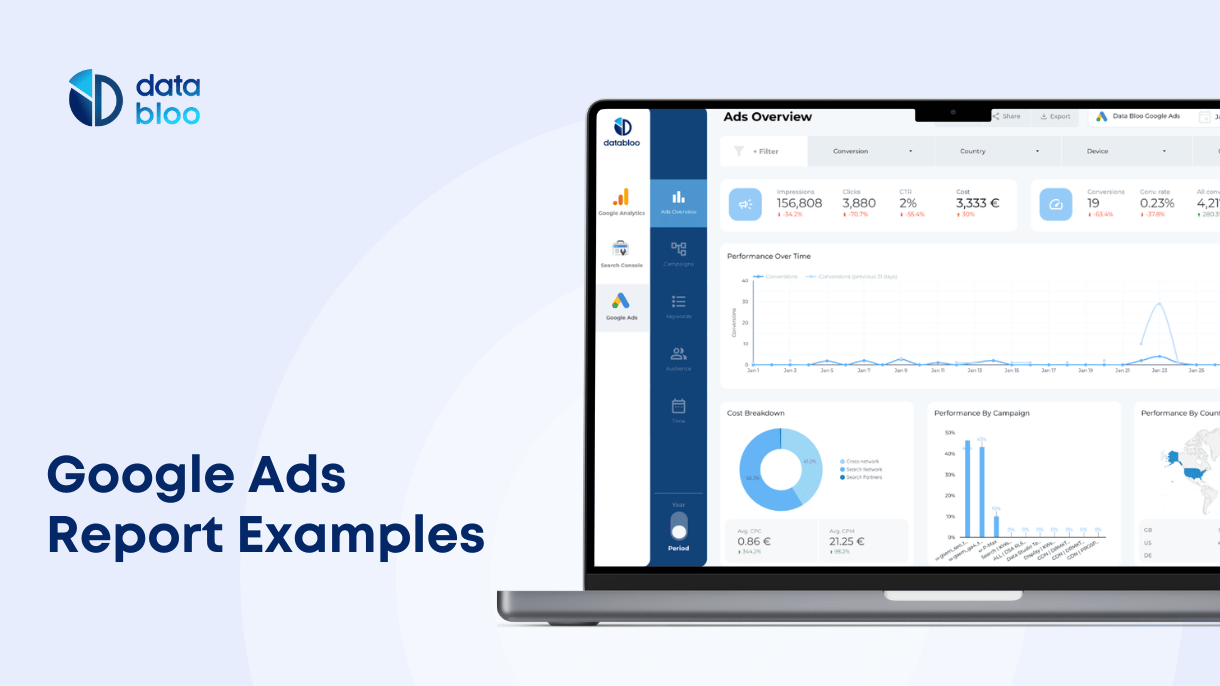
This is your bread-and-butter report for PPC retainers. When you need to explain why performance changed or justify specific optimizations to a hands-on client, this comprehensive multi-page dashboard is the answer.
Key Features / Metrics:
- Granular Drill-Downs: Dedicated pages for Keyword Performance, Audience Segments, and Competitor Auction Insights.
- Targeting Analysis: See exactly which locations, devices, or demographics are driving the cheapest conversions.
- Funnel View: A clear visual flow from Impressions → Clicks → Conversions → Cost per Conversion.
Who is this for? PPC Specialists and Performance Marketers who manage active accounts and need detailed weekly or monthly reporting capabilities.
Why use this template? It separates the signal from the noise. Instead of screenshotting tables, you give clients a live link where they can explore their ROI in real-time.
2) The “Executive Summary” Report Example
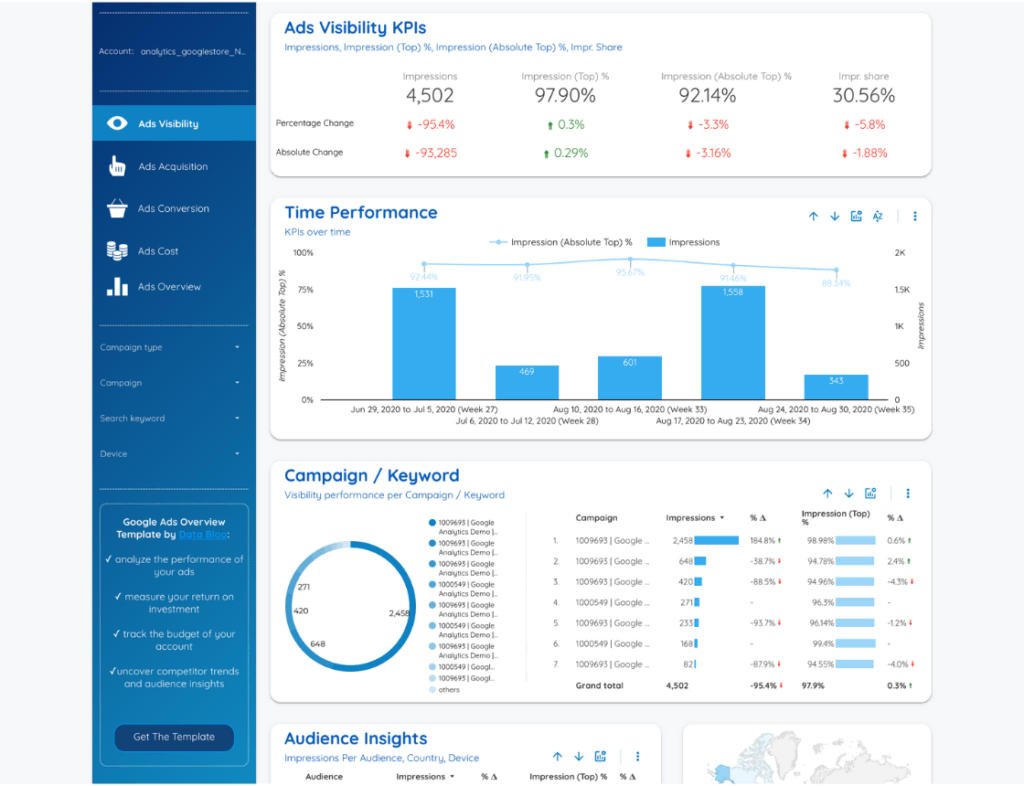
Not every client wants to see keyword-level data. For C-level executives or business owners who just want the headlines—“How much did we spend, and what did we get?”—this concise overview is perfect.
Key Features / Metrics:
- Single-View Snapshot: All critical KPIs (Spend, Conversions, ROAS, CPA) are visible on one screen without needing to navigate tabs.
- Trend Analysis: Simple “This Month vs. Last Month” charts to show immediate progress.
- Budget Pacing: A clear visual gauge showing how much budget is left for the month.
Who is this for? Account Managers reporting to CMOs or business owners who prefer a “bottom line” update over a technical audit.
Why use this template? It’s built for speed. It answers the “health check” questions instantly, making it the ideal dashboard for weekly check-in emails where brevity is king.
3) The “Total Search” (SEO + PPC) Report Example
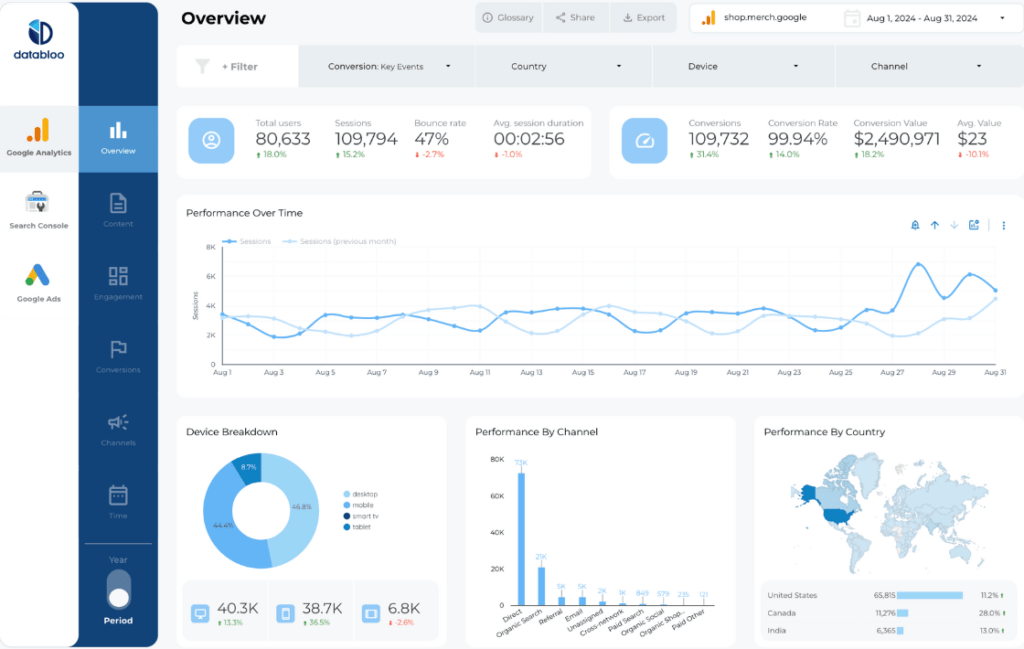
Google Ads doesn’t exist in a vacuum. A common client question is, “If I pay for this keyword, am I cannibalizing my organic traffic?” This template solves that by combining Google Ads data with Google Search Console and GA4 in one view.
Key Features / Metrics:
- Paid vs. Organic Split: Compare your paid traffic volume directly against your SEO traffic.
- Holistic Keyword Analysis: See if you are paying for keywords you already rank #1 for organically.
- Site Engagement: Don’t just track clicks; track what users do after the click (Bounce Rate, Time on Site, Events) using GA4 integration.
Who is this for? SEO & PPC Agencies who manage the “Total Search Presence” of a brand. It’s ideal for proving the incremental value of running ads alongside an SEO strategy.
Why use this template? It moves the conversation from “Ad Spend” to “Business Growth.” By showing the full picture of website performance, you position yourself as a strategic partner rather than just an ad buyer.
4) The “Paid Media Mix” Report Example
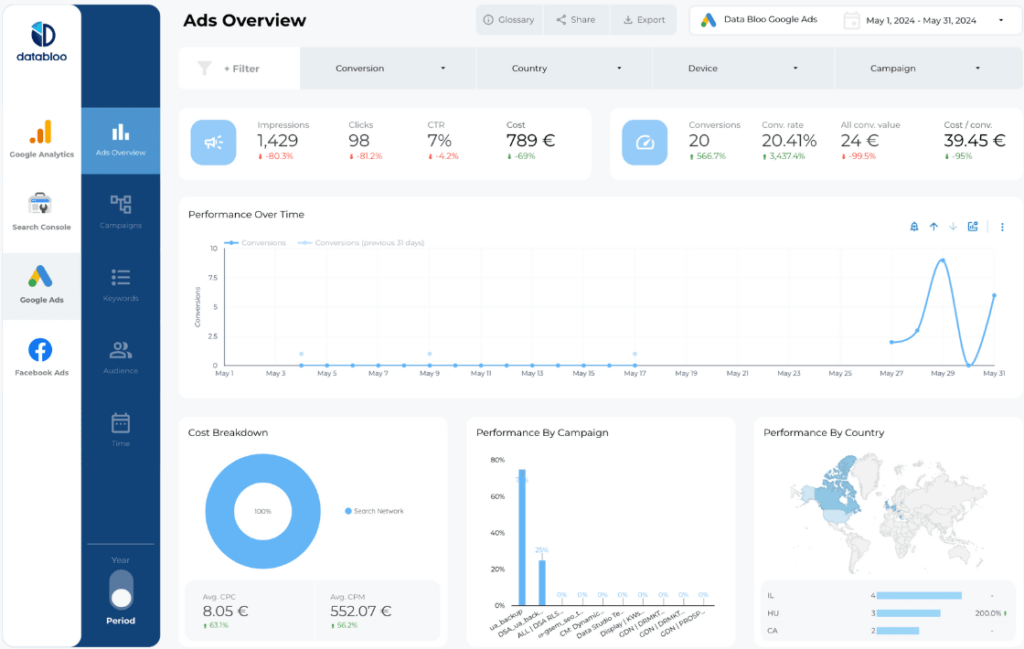
For brands running omnichannel campaigns, looking at Google Ads in isolation is dangerous. You need to know how Google compares to Facebook ads. This template consolidates all your paid channels.
Key Features / Metrics:
- Cross-Channel Comparison: Side-by-side performance of Google Ads (High Intent) vs. Facebook/Social Ads (High Awareness).
- Budget Pacing: Track your total monthly spend cap across all platforms in a single gauge.
- Blended CPA: Calculate the true cost of acquiring a customer when combining all your marketing efforts.
Who is this for? Marketing Directors and Full-Service Agencies. If you need to decide whether to shift $5,000 from Meta Ads to Google Search next month, this is the report that gives you the answer.
Why use this template? It ends the “platform wars.” Instead of disjointed reports for every channel, you present a unified “Digital Performance” view that highlights how each channel contributes to the bottom line.
5) The Custom “Agency-Scale” Report Example
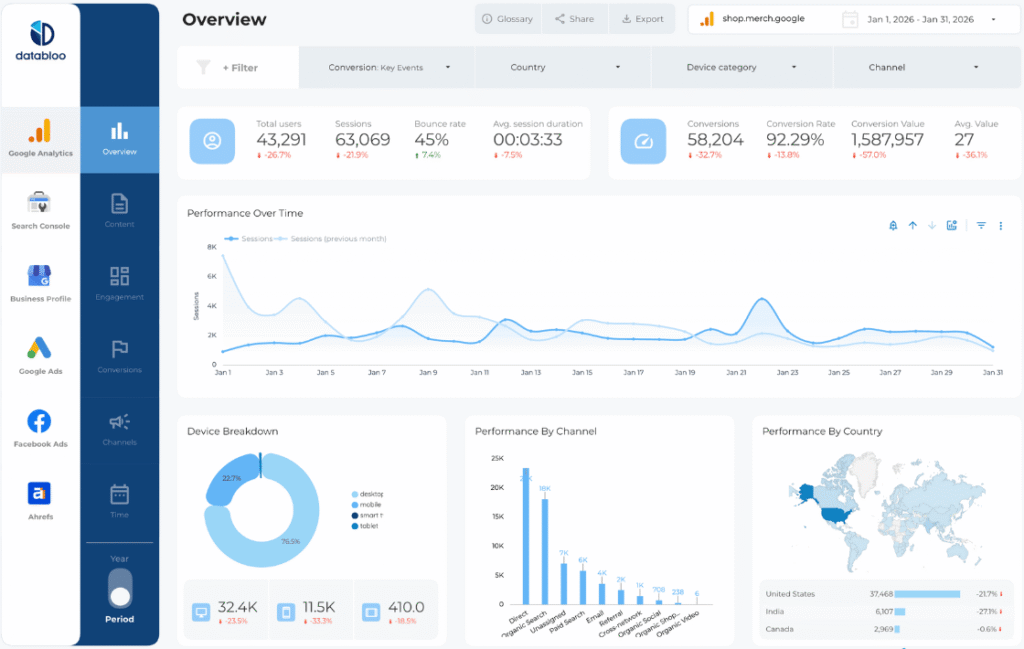
Sometimes, a pre-built template isn’t enough. You might have a client who demands a specific color scheme, a unique calculated metric, or data from 20+ different sources. The Custom Master Template is your “Blank Canvas” accelerator.
Key Features / Metrics:
- Modular Layout: Mix and match blocks. Put a Google Ads scorecard next to a Search Console chart.
- White-Label Design: Built specifically to be branded with your (or your client’s) corporate identity.
- Unlimited Sources: Connect Google Ads, GA4, or any other data source supported by Data Bloo.
Who is this for? Agencies scaling up their operations who need a standardized yet flexible reporting framework for diverse clients (e.g., E-commerce, B2B, Local Service).
Why use this template? It saves you the 20+ hours it takes to design a report from scratch. You get a professional grid structure and navigation menu out of the box—you just plug in the data.
Build Your Own Google Ads Report in Looker Studio
Stop wasting hours on manual reporting. Whether you need a granular deep dive into Google Ads, a high-level Executive Summary, or a holistic SEO + PPC view, there is a template here to fit your needs.
Ready to upgrade your reporting? Check out our full bundle of Looker Studio Templates and start automating your client reports today.
FAQs
1. Can I merge data from multiple Google Ads accounts?
Yes. Looker Studio allows you to create a “Data Blend” or use the account selector to aggregate data from multiple ad accounts (e.g., different franchise locations) into one master report using these templates.
2. Do these templates work with the new GA4?
Yes. All Data Bloo templates, including the “Website Master” and “Digital Performance” reports, are fully updated to work with Google Analytics 4 (GA4) for tracking on-site user behavior and conversions.
3. Are these templates customizable?
Absolutely. Once you copy the template, it is yours to own. You can add your agency’s logo, change the color scheme to match your client’s branding, or drag-and-drop new metrics to fit your specific reporting needs.