



Bing Webmaster Tools Data Studio Template
This template provides a complete view of your Bing organic search performance, making it easier to analyze keyword visibility, page rankings, and SEO trends in one unified Data Studio dashboard.
The Bing Webmaster Tools Data Studio Template is divided into focused sections, each designed to analyze a specific area of your Bing search performance:
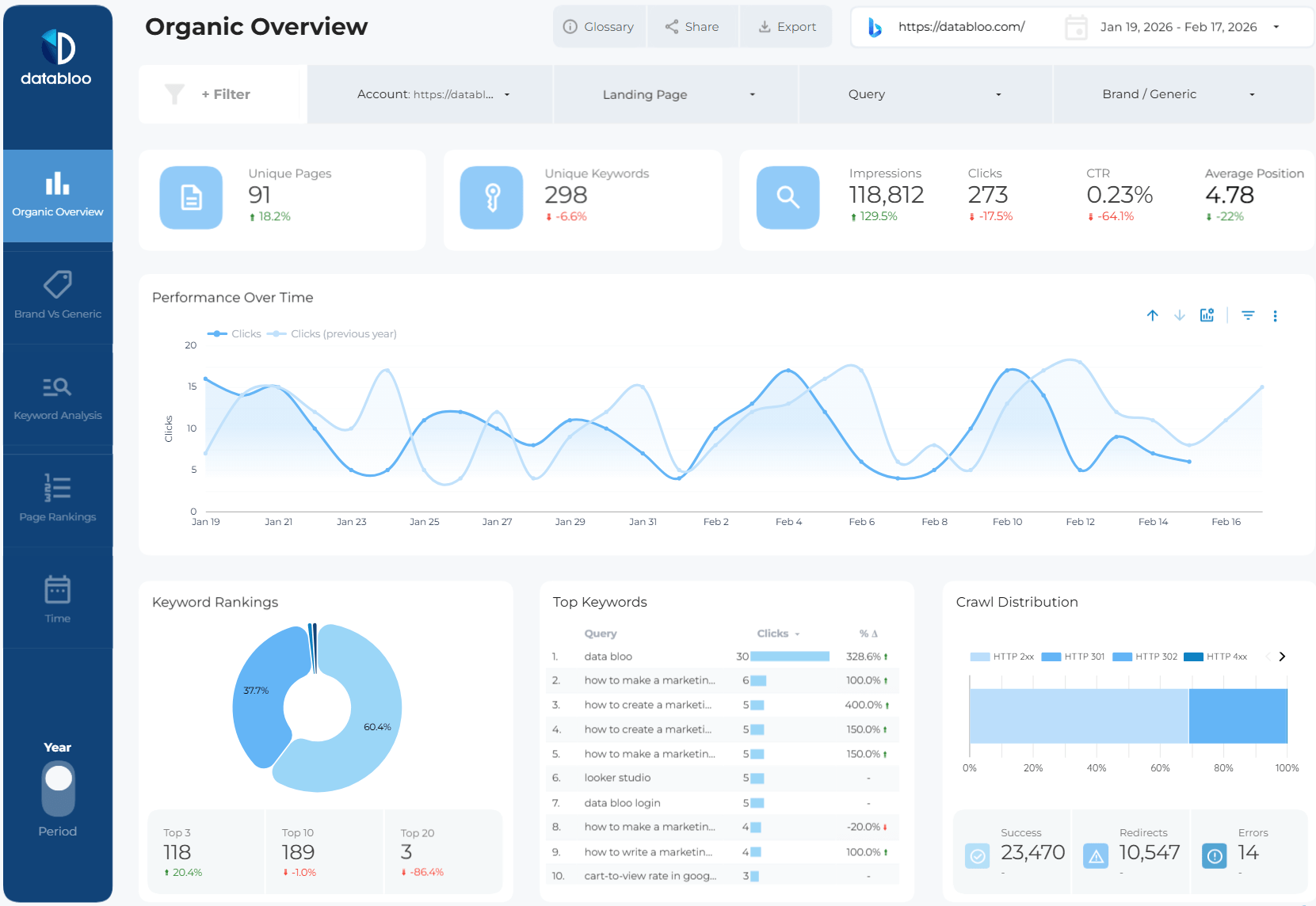
- Organic Overview: Get a high-level snapshot of your Bing SEO performance, including unique pages, unique keywords, impressions, clicks, CTR, and average position. This section helps you quickly assess overall organic visibility and traffic trends.
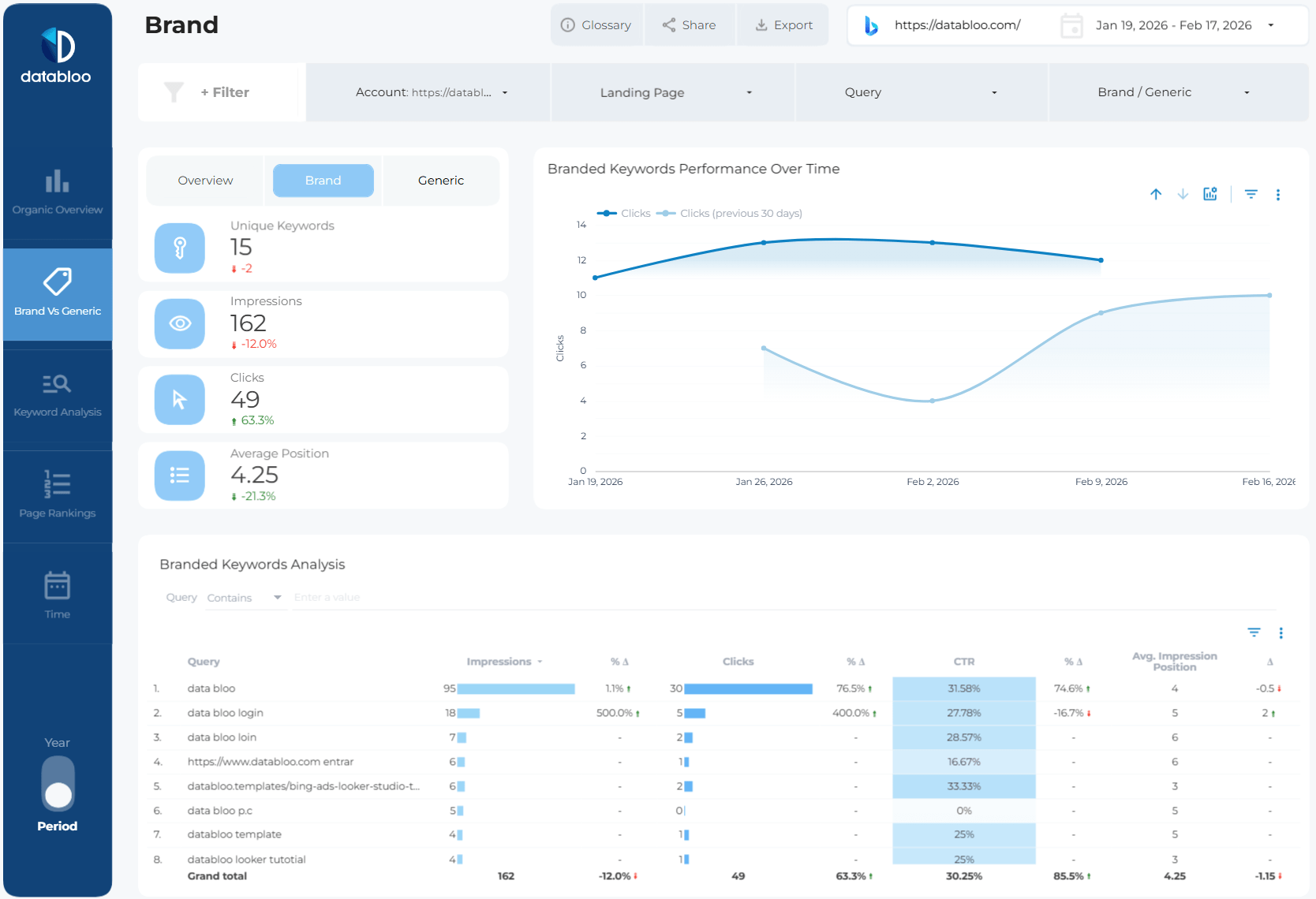
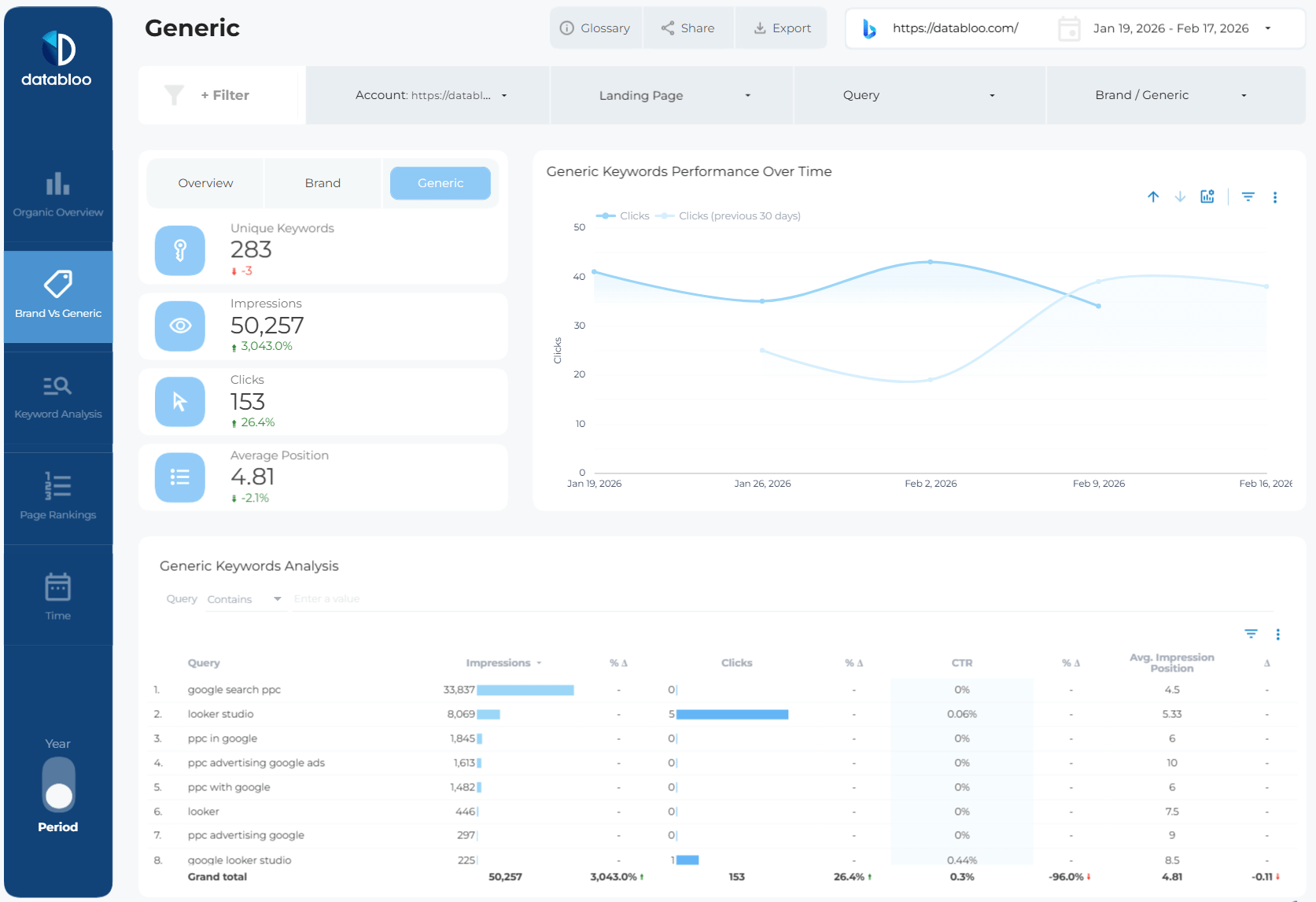
- Brand vs Generic: Compare branded and non-branded search performance to understand what drives your Bing traffic. Analyze keyword counts, impressions, clicks, CTR, and average position for both brand and generic queries, and identify how each segment performs over time.
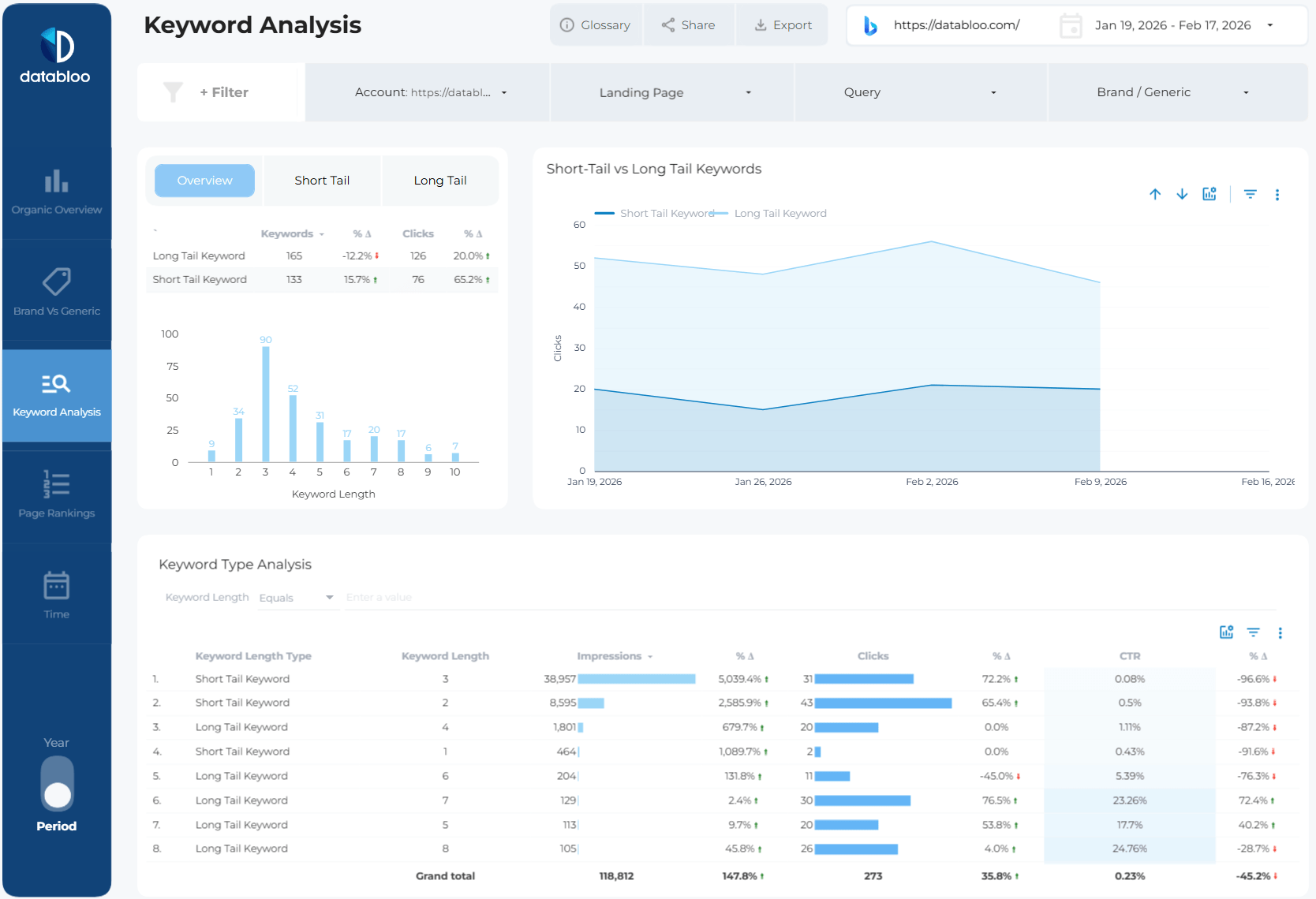
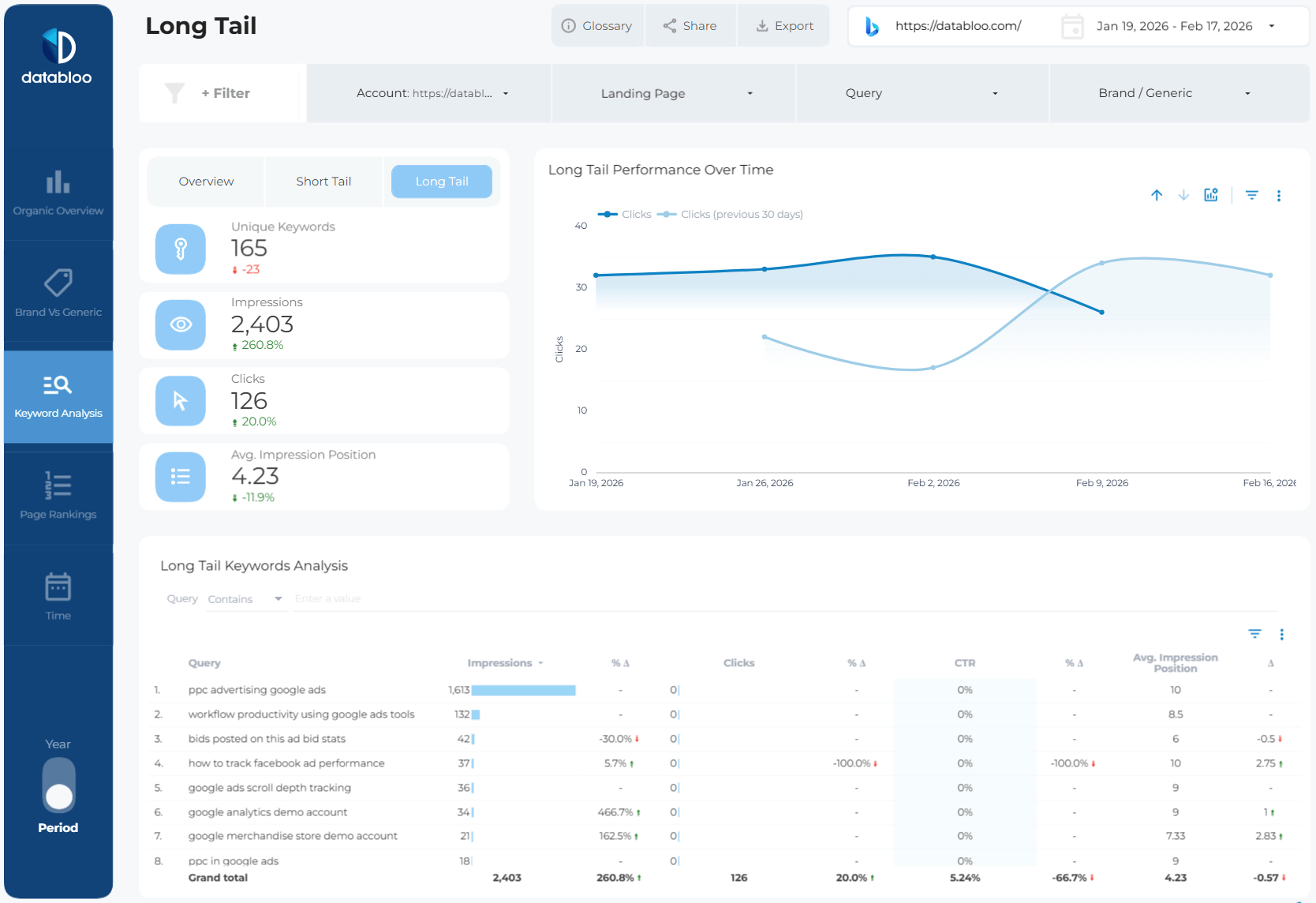
- Keyword Analysis: Explore how your keywords perform across different query types, including short-tail and long-tail keywords. Track impressions, clicks, CTR, and average position, and uncover which keyword groups contribute most to your organic results.
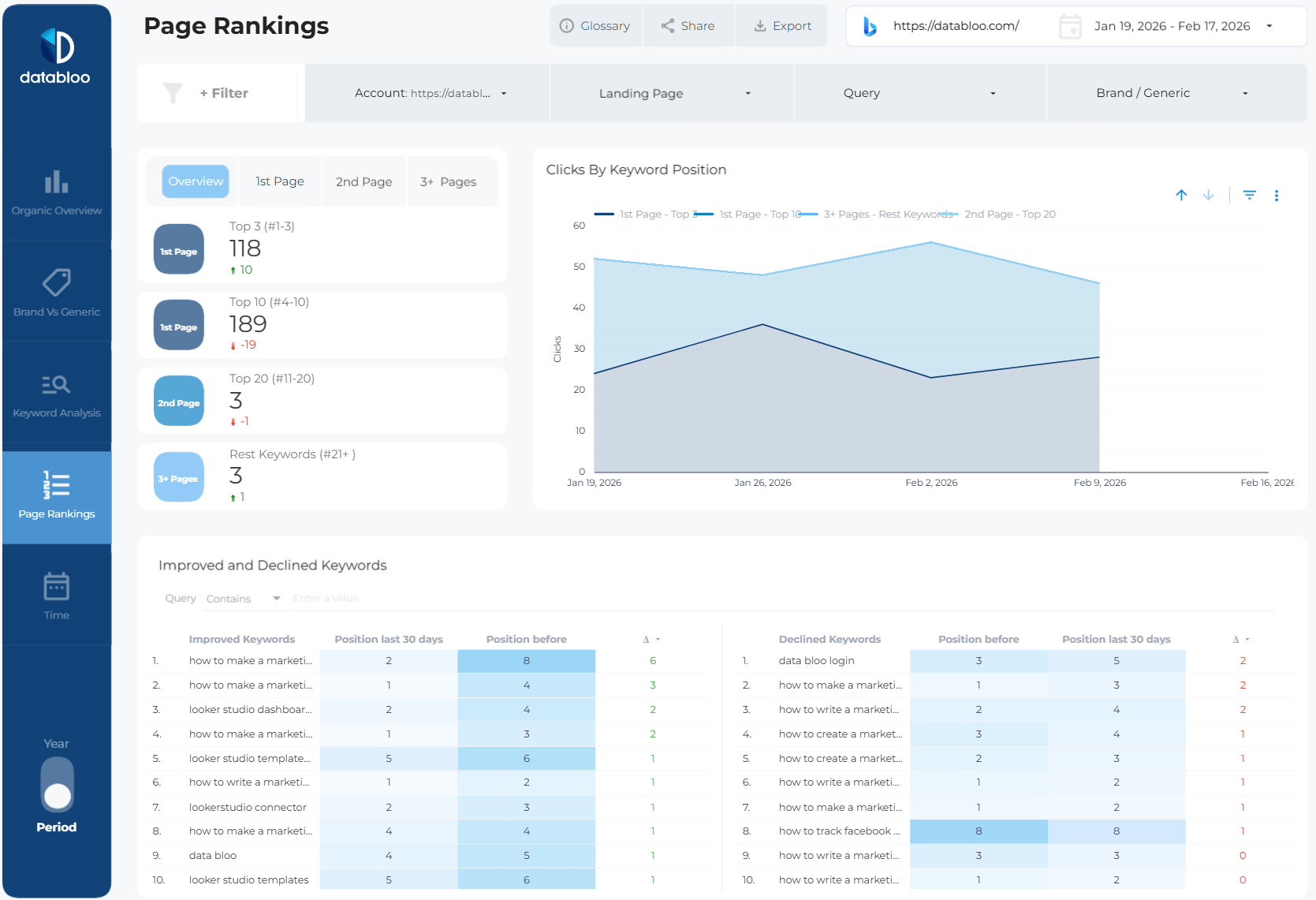
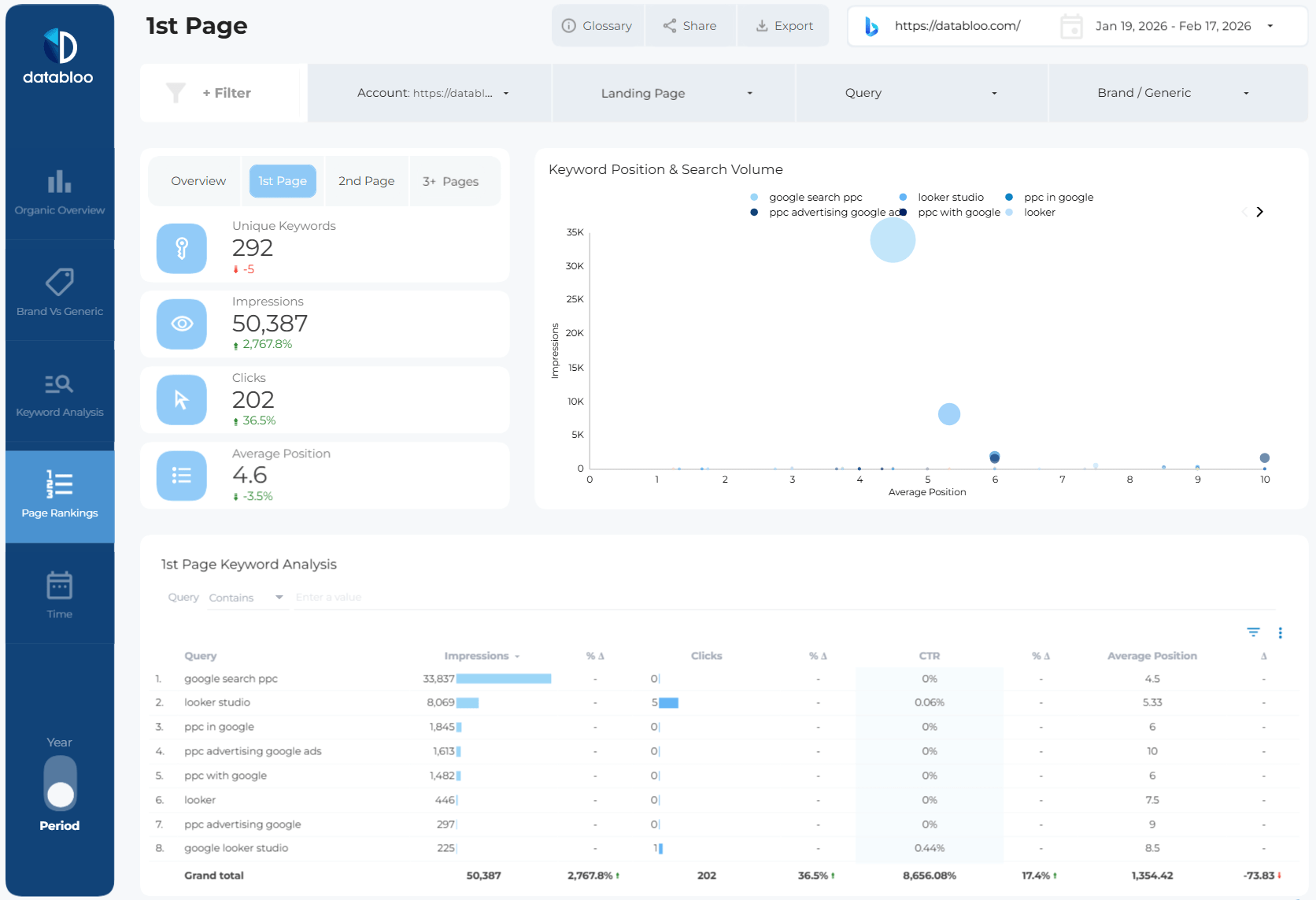
- Page Rankings: Understand how your pages rank in Bing by grouping keyword performance into position buckets (1st page, 2nd page, and 3+ pages). Identify ranking shifts over time and review improved vs declined keywords to prioritize SEO actions.
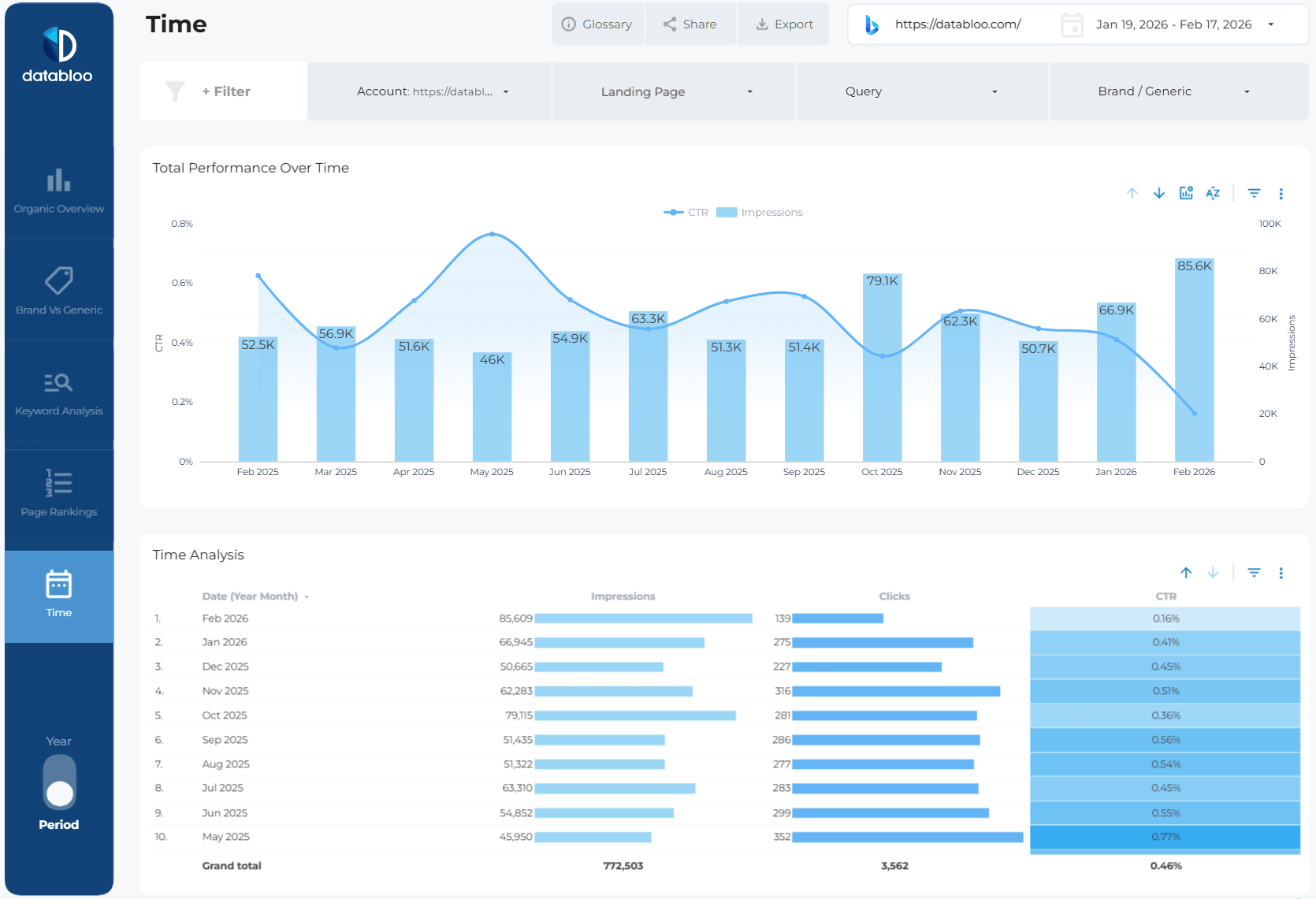
- Time Analysis: Discover performance trends over time with a clear view of how impressions, clicks, and CTR change across months and selected periods. This section helps you detect seasonality, track progress, and evaluate the impact of SEO efforts.
What You Can Analyze with This Template
With this Bing SEO dashboard, you can quickly answer questions like:
- How is my Bing organic performance evolving?
- Which keywords drive the most impressions and clicks?
- What percentage of traffic is branded vs generic?
- Which keywords improved or declined in rankings?
- How many keywords rank on the 1st page?
- Are long-tail queries driving growth?
- How does CTR change across months?
Instead of manually exporting data from Bing Webmaster Tools, everything is structured in one performance-focused dashboard.
Key Features
- See Your True Bing Visibility: Instantly understand how your website performs in Bing with clear insights into impressions, clicks, CTR, and rankings.
- Understand Traffic Intent: Separate branded and non-branded queries to uncover where your growth is coming from — and where new opportunities exist.
- Identify Ranking Opportunities: Spot keywords close to page 1 and prioritize optimizations that can drive the biggest traffic impact.
- Track SEO Momentum Over Time: Monitor how impressions, clicks, and CTR evolve across months to measure the impact of your SEO efforts.
- Detect Wins and Losses Instantly: Quickly identify improved and declined keywords so you can react before traffic drops.
- Built for Actionable SEO Decisions: Designed to move beyond raw data and help you focus on what actually drives organic growth.
- Fully Customizable & Shareable: Adapt filters, branding, and segments to match your workflow and share insights with clients or teams.
One Click Setup
This template uses the Data Bloo Bing Webmaster Tools Data Studio Connector, allowing you to connect your Bing Webmaster Tools account without manual exports or spreadsheets.
Simply follow the guided setup process and start analyzing your Bing organic search data in minutes.
With a structured dashboard covering keyword performance, rankings, brand segmentation, and time-based insights, the Bing Webmaster Tools Data Studio Template helps you understand what drives your Bing visibility and how to improve your SEO strategy using data.
Ideal For
- SEO specialists managing Bing performance
- Agencies reporting on Bing organic visibility
- Marketing teams tracking multi-search-engine performance
- Businesses optimizing beyond Google
- Technical SEO teams monitoring ranking shifts