







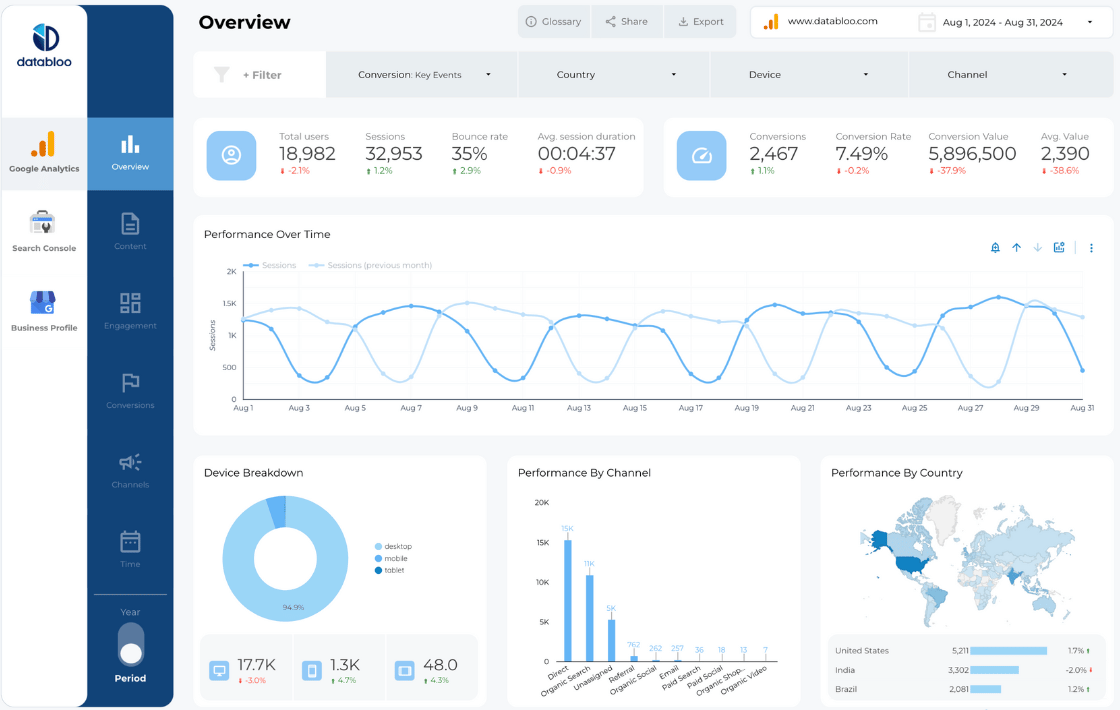
What is a Local SEO dashboard?
A Local SEO dashboard is a reporting tool that consolidates location-based search data — Google Business Profile insights, local keyword rankings, customer reviews, map-pack impressions, and on-site conversions — into a single, automated view. Instead of flipping between Google Business Profile, Search Console, GA4, and review platforms, every stakeholder sees the same source of truth in one place.
For brick-and-mortar businesses, multi-location brands, and agencies, a Local SEO dashboard answers the questions a generic SEO report can’t:
- How are customers in this neighborhood discovering us?
- Which listing actions — calls, directions, website clicks — are converting?
- Are positive reviews translating into higher map-pack visibility?
- Which locations are gaining traction, and which need attention?
A good Local SEO dashboard template gives you those answers automatically, refreshed on the schedule you choose, and styled to match your brand.
What to include in a Local SEO dashboard
The strongest Local SEO dashboards balance executive-level summaries with operator-level detail. Based on the reports we’ve built for +1,000 marketing teams, here are the five report types every Local SEO dashboard template should cover.
1. Local search visibility report
Tracks how often and how prominently your business appears in local search results and the map pack. Includes impressions over time, average position trends, and click-through rate by query type. This is the top-of-funnel signal that tells you whether your local optimization work is being seen.
2. Google Business Profile performance report
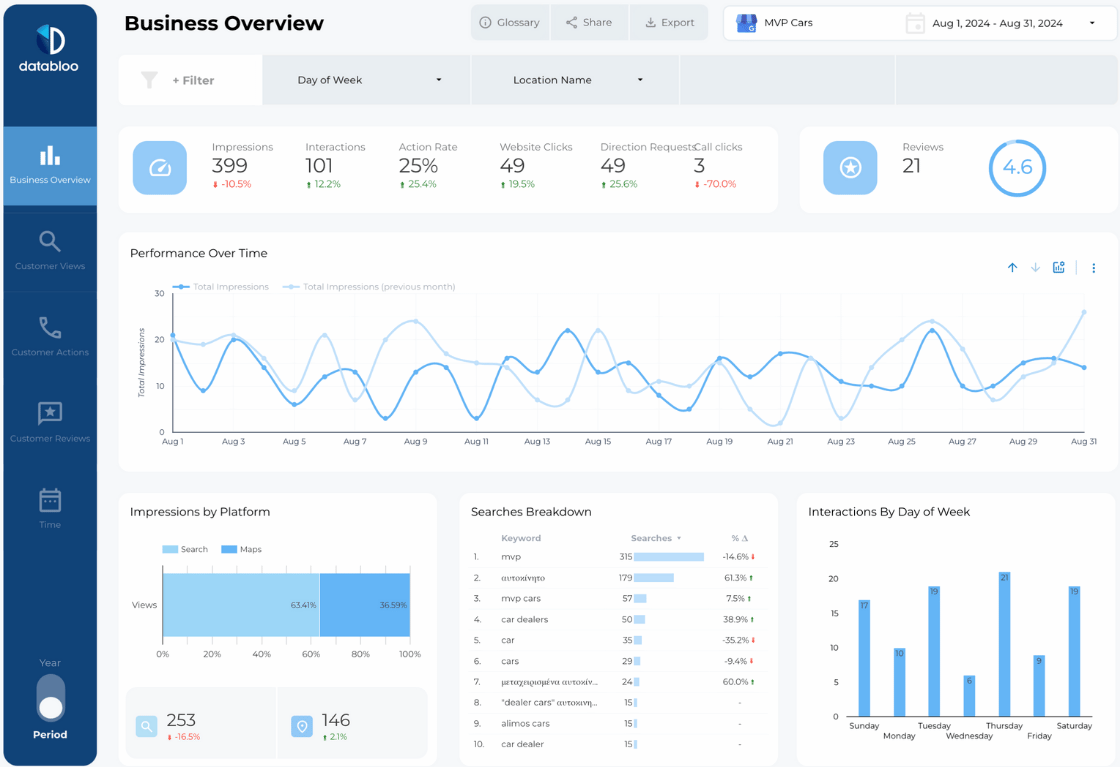
Surfaces how customers interact with your listing once they find it. Profile views split by Google Search and Google Maps, day-of-week patterns, and actions taken — website clicks, direction requests, phone calls. These are the conversion-adjacent metrics that often matter more than rankings for a local business.
3. Keyword and search-term performance report
Reveals the actual queries — including “near me” searches and neighborhood-specific terms — bringing customers to your listings and your website. Helps you align business descriptions, services, and on-page content with how local customers actually search.
4. Review management report
Aggregates review volume, average rating over time, sentiment trends, and individual review content across locations. Review velocity and quality directly influence local rankings, so this report doubles as both a reputation tool and a ranking-factor monitor.
5. Local conversion and channel report
Connects local SEO traffic to on-site outcomes — form fills, bookings, store-locator searches, add-to-cart events — and compares Local SEO performance against other marketing channels. Without this view, it’s nearly impossible to defend Local SEO budget against paid channels.
Metrics and KPIs to track in a Local SEO dashboard template
A complete Local SEO dashboard template should cover visibility, engagement, conversion, and reputation. The metrics below appear across our three Local SEO templates and represent the KPIs our customers track most often.
Visibility metrics
- Local pack appearances and impressions
- Average position in local results
- Branded vs non-branded search volume
- Impressions by device (mobile vs desktop)
- Impressions by Google Maps vs Google Search
Engagement metrics
- Profile views over time
- Click-through rate (CTR) on local listings
- Searches that triggered your business
- Photo views and post engagement
- Day-of-week and hour-of-day interaction patterns
Conversion metrics
- Website clicks from Google Business Profile
- Direction requests
- Phone calls initiated
- Local SEO sessions and conversion rate
- Goal completions tied to local landing pages
Reputation metrics
- Total reviews and review velocity
- Average star rating over time
- Sentiment breakdown of review content
- Response rate and response time
Comparison metrics
- Best- and worst-performing local landing pages
- Period-over-period (MoM, YoY) trends
- Local SEO vs other marketing channels
- Location-by-location performance for multi-site brands
How to build a Local SEO dashboard with Data Bloo
You don’t need Data Studio expertise or a data team. Our setup is built around four steps:
1. Choose your template. Pick from the Local SEO Report Template, Google My Business Report Template, or a Custom Master Template tailored to your data sources.
2. Connect your data sources. Use our free Google Business Profile Data Studio connector to pull GBP data without subscription fees, plus native connectors for Search Console and GA4. Multi-location accounts are supported out of the box.
3. One-click setup. Authenticate, select your accounts, and the template populates in under two minutes. Step-by-step instructions and video walkthroughs included.
4. Customize and share. Swap logos, brand colors, and fonts to white-label the dashboard. Share via link, schedule email delivery, or export to PDF.
Insights you’ll get from a Data Bloo Local SEO dashboard
Identify your best and worst performing local landing pages
The dashboard surfaces month-over-month traffic shifts at the URL level, so you instantly see which location pages are gaining ground and which are losing visibility. From there, you can investigate whether it’s a technical issue, content gap, or competitor outranking you in a specific neighborhood.
Compare desktop vs mobile local search behavior
Mobile searches usually signal immediate local intent — someone looking for directions or a phone number while they’re out. Desktop searches lean more research-oriented. Splitting impressions and actions by device tells you which experience to prioritize and how to tailor content for each.
Pinpoint the keywords driving local discovery
A dedicated search-terms view shows exactly which queries — including locally-relevant terms, “near me” searches, and neighborhood-specific phrases — surface your business. Use this to refine business descriptions, services, and content to match real customer language.
Track review sentiment alongside ranking changes
Pull review volume, ratings, and individual review content into the same dashboard as your visibility metrics. When review sentiment shifts, you’ll see whether local rankings move with it — and which locations need reputation attention before search performance suffers.
Tie local SEO to revenue, not just impressions
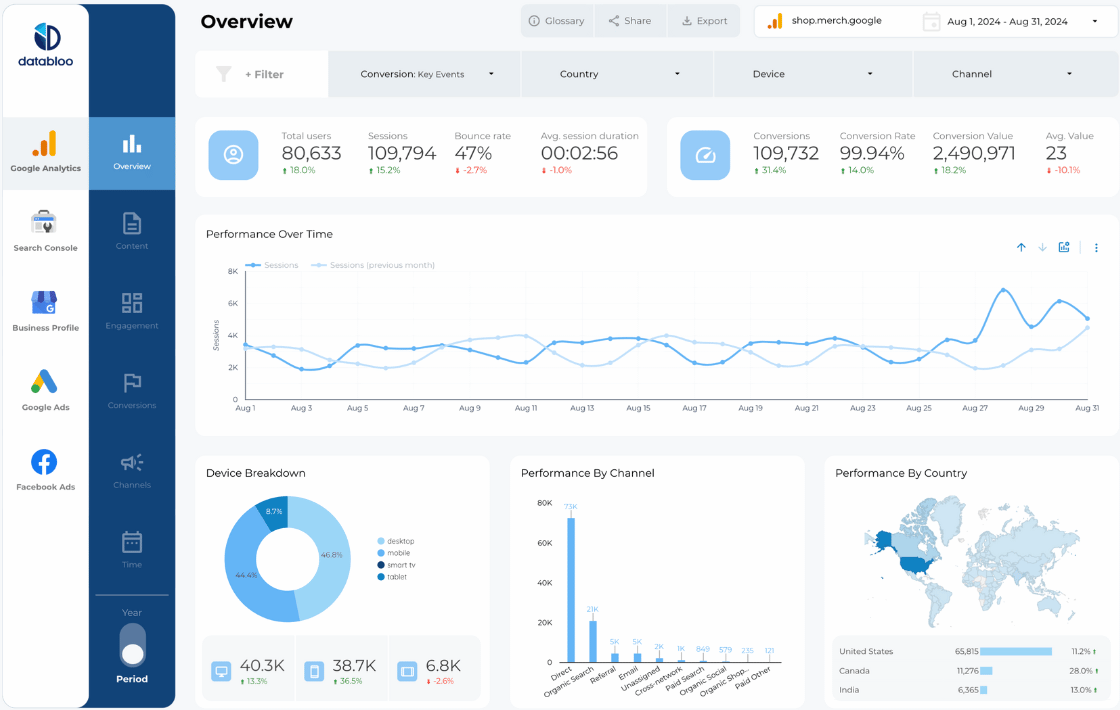
The Local SEO Report Template includes a marketing channels view that lets you compare Local SEO conversions and conversion rates against other channels. That’s the view CMOs and clients actually care about.
FAQs
No. The one-click setup handles the data source authentication and field mapping. If you can log into Google, you can run the dashboard.
Yes. Each template includes unlimited copies, so agencies can deploy the same report across every client.
Yes. Our free GMB connector aggregates data from multiple Google Business Profile locations in a single dashboard. The Local SEO Report Template is built with multi-location reporting in mind.
Yes. You get instant edit access, so you can rearrange charts, add calculated fields, change colors, swap logos, and adjust the layout however you need.
Every template has a live demo so you can interact with the report before buying.
Use the Custom Master Template. You pick the connectors — Google Business Profile, Search Console, GA4, Facebook Ads, Semrush, Ahrefs, and more — and we’ll deliver a custom Local SEO dashboard built around them.