Table of Contents
Clear and actionable SEO reporting is essential for tracking organic growth, keyword performance, and technical health. A well-structured SEO report helps you understand what’s driving traffic, where opportunities exist, and how your SEO efforts impact business results.
In this article, we’ll explore 8 SEO report examples built with Looker Studio, plus 1 bonus analytics report to complement your SEO insights. Each example is a real, ready-to-use template designed to save time, improve analysis, and deliver clear insights to clients or stakeholders.
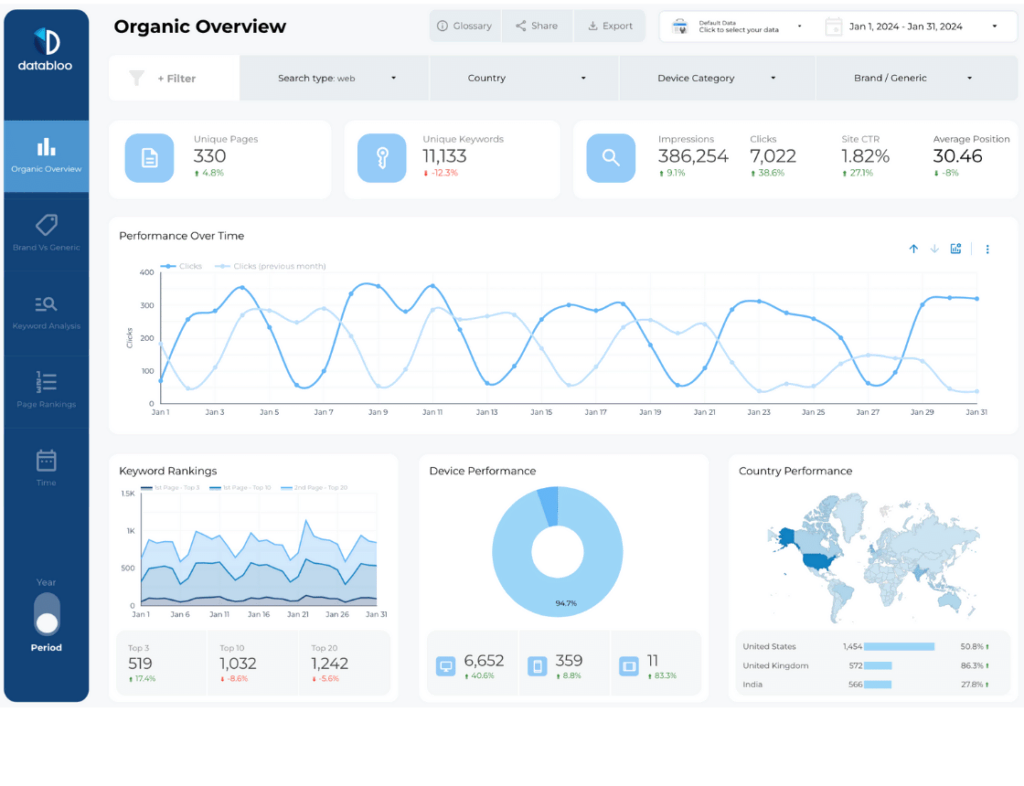
1) All-in-One Search Console SEO Report Example
Source: Google Search Console
Setup: Easy — Native Connector for Search Console
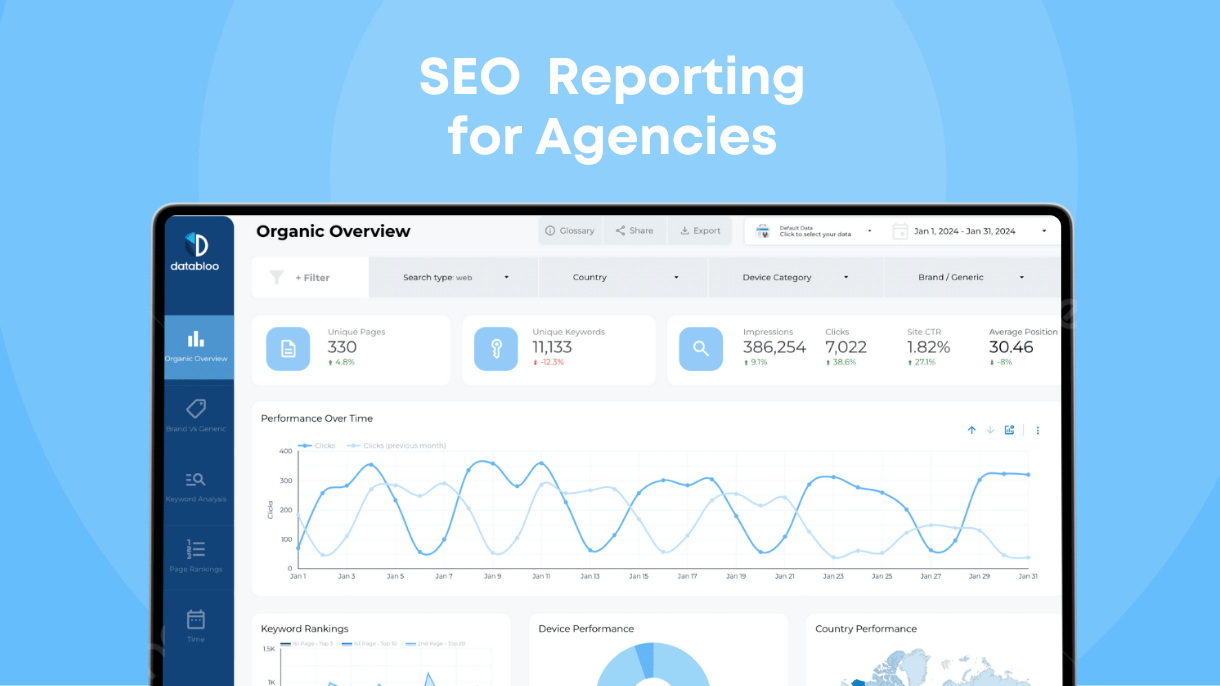
The All-in-One Search Console SEO report provides a complete overview of your organic search performance directly from Google. It’s an essential SEO reporting example for tracking visibility, clicks, impressions, and keyword performance over time.
Key Features
- Organic clicks, impressions, and CTR
- Average position and keyword trends
- Top pages and search queries
- Country and device performance
What You Can Do With This Report
Use this SEO report example to monitor how your website performs in Google Search, identify ranking opportunities, and track changes in visibility month over month. It’s ideal for monthly SEO report examples and ongoing performance reviews.
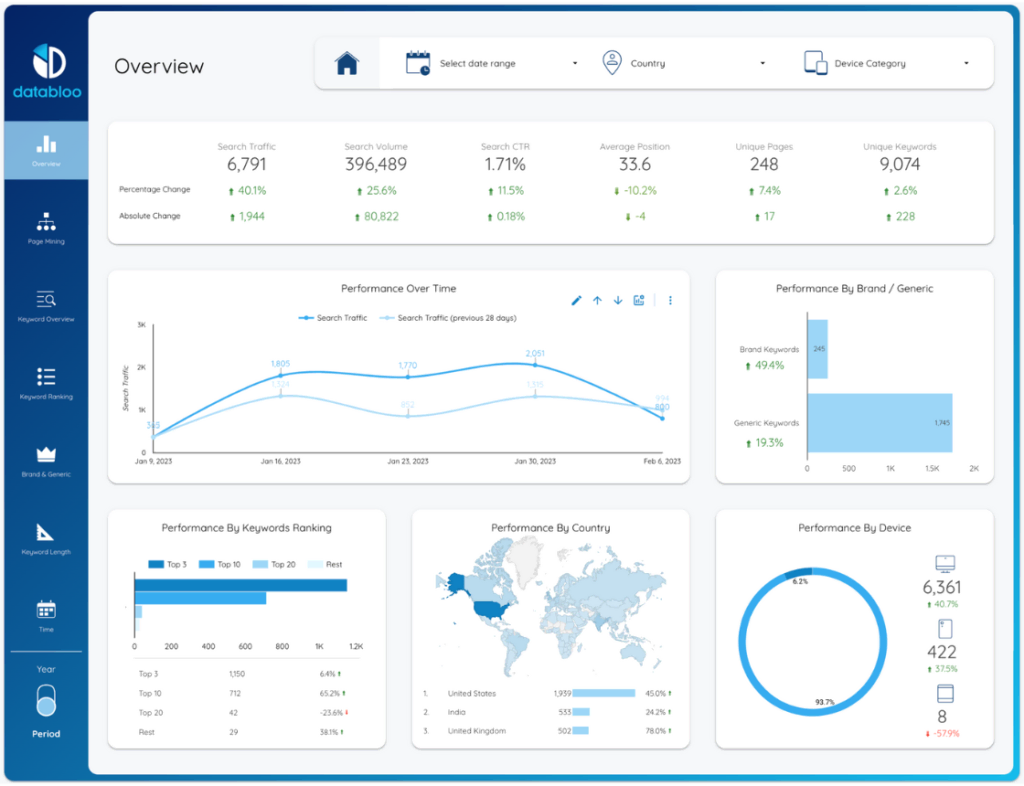
2) Keyword Ranking SEO Report Example
Source: Google Search Console
Setup: Easy — Native Connector for Search Console
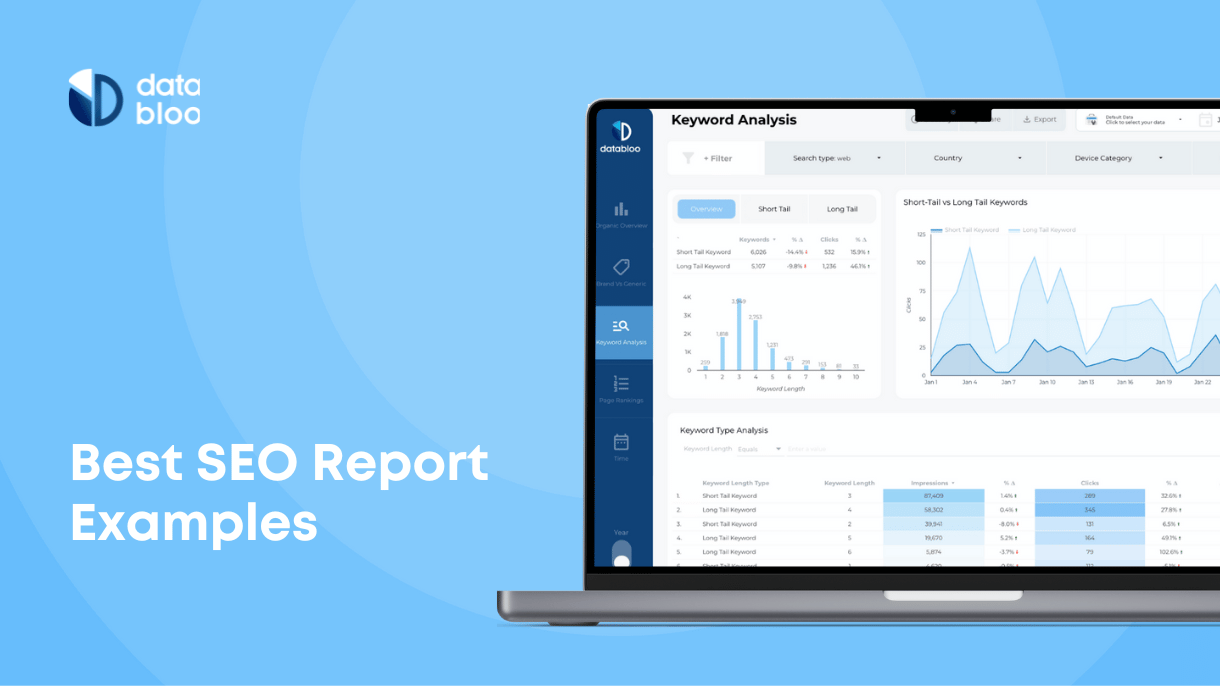
The Keyword Ranking SEO report focuses specifically on tracking keyword positions and visibility trends. This report is perfect for understanding how rankings evolve across time, devices, and locations.
Key Features
- Keyword position tracking
- Top gaining and declining keywords
- Branded vs non-branded queries
- Country and device segmentation
- Visibility and ranking distribution
What You Can Do With This Report
This SEO reporting example helps you prioritize optimization efforts by showing which keywords are improving, stagnating, or losing visibility — making it ideal for recurring monthly SEO reporting.
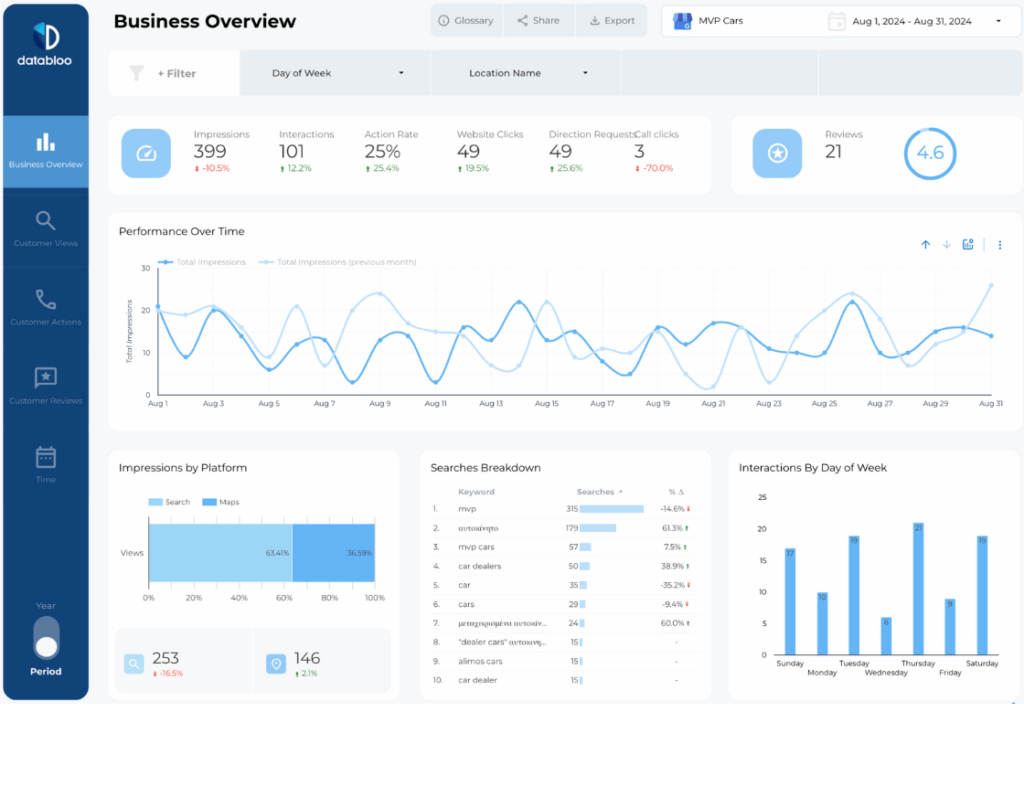
3) Google Business Profile SEO Report Example
Source: Google Business Profile
Setup: Easy — Data Bloo Free Connector for GMB
The Google Business Profile SEO report focuses exclusively on how a business performs on Google Search and Google Maps. This SEO reporting example is ideal when you want to track local visibility and customer actions directly from your business listing, without mixing in website or ranking data.
It’s especially useful for local businesses that rely on calls, directions, and profile views as primary conversion signals.
Key Features
- Business profile views and searches
- Discovery vs direct search breakdown
- Customer actions (calls, directions, website clicks)
- Review volume and rating trends
- Performance by time period (daily, weekly, monthly)
What You Can Do With This Report
Use this SEO report example to understand how customers discover your business in local search and how they interact with your Google Business Profile. It’s a strong choice for monthly SEO report examples focused on visibility, reputation, and local engagement rather than website behavior.
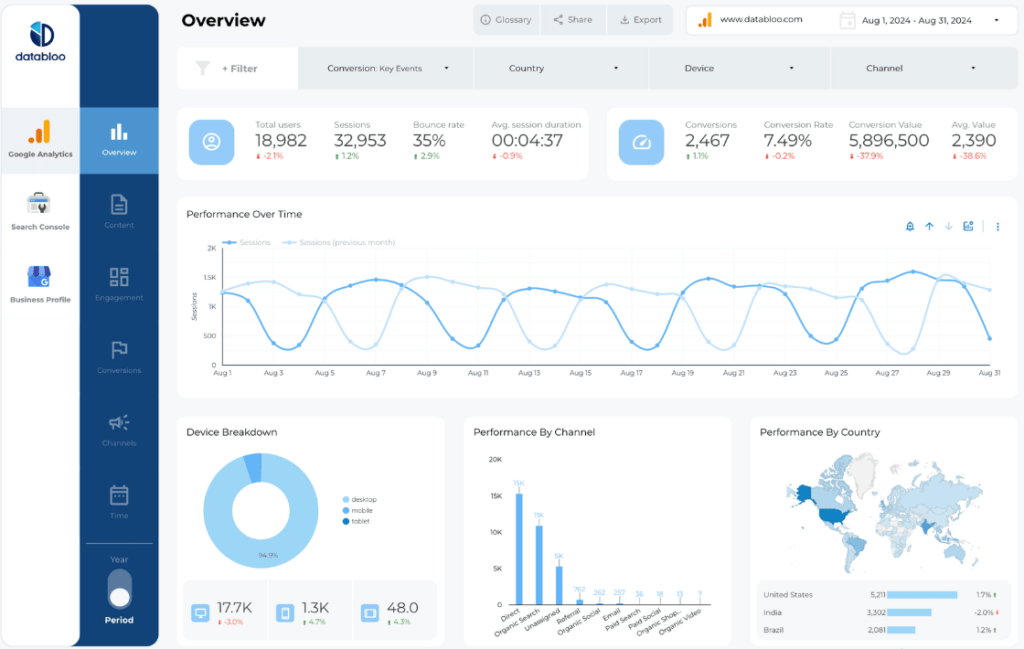
4) Local SEO Report Example
Source: Google Business Profile, Google Search Console, Google Analytics 4
Setup: Easy — Combination of multiple SEO sources
The Local SEO report is a multi-source dashboard designed to connect local search visibility with on-site performance and conversions. Unlike a Google Business Profile–only report, this SEO reporting example combines listing performance, organic search data, and website analytics into one unified view.
It’s built for agencies, franchises, and businesses that need a complete understanding of how local SEO drives traffic and results.
Key Features
- Local search queries and impressions from Search Console
- Google Business Profile performance (views, searches, actions)
- Website sessions and engagement from GA4
- Local conversion and goal tracking
- Performance by location, country, and device
- Month-over-month local SEO trends
What You Can Do With This Report
Use this SEO report example to evaluate how local visibility translates into real website traffic and conversions. Track the full journey from discovery in Search or Maps to on-site engagement, making it ideal for monthly SEO report examples focused on growth, ROI, and multi-location performance.
5) AI & LLM SEO Report Example
Source: Google Analytics 4 (AI Referrals)
Setup: Easy — Native Connector for GA4
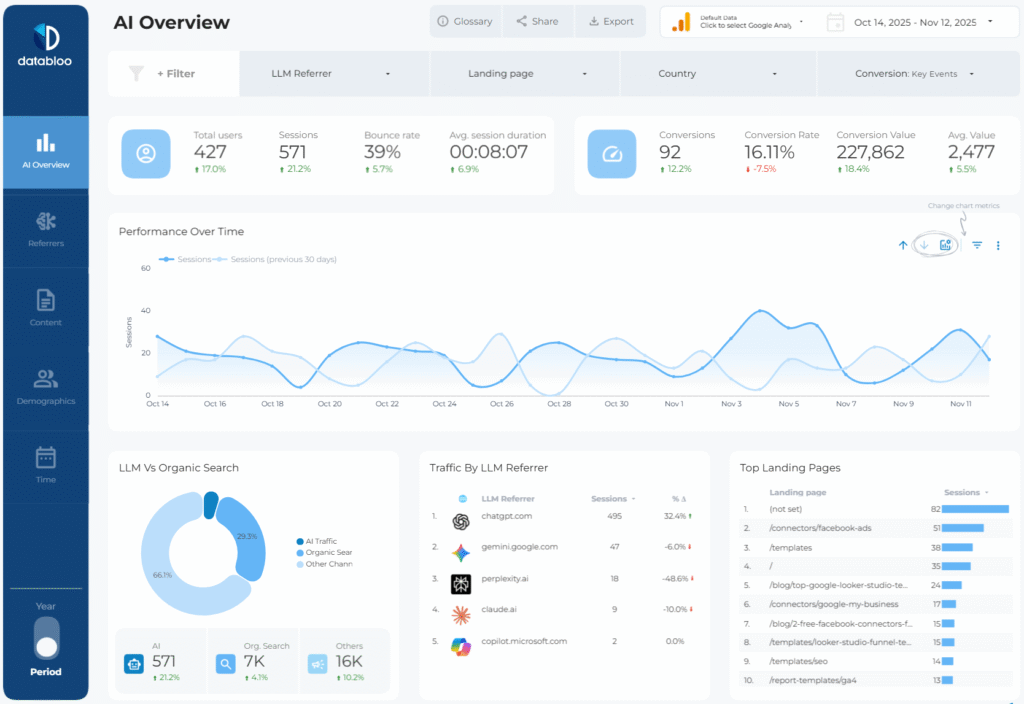
The AI & LLM SEO report helps you track how AI platforms like ChatGPT, Claude, Gemini, Copilot, and Perplexity drive traffic and conversions to your website. Instead of guessing how AI assistants influence discovery and acquisition, this report gives you a clear view of AI-driven sessions, engagement, and revenue inside Looker Studio.
This SEO reporting example is designed for teams that want to understand how AI-powered search and assistants fit into their overall organic strategy.
Key Features
- AI-driven traffic and user acquisition metrics
- Referrer analysis by AI platform (ChatGPT, Gemini, Claude, Copilot, Perplexity)
- Engagement metrics for AI-assisted visits (bounce rate, session duration)
- Conversion tracking and revenue attribution from AI traffic
- Landing pages recommended or surfaced by AI tools
- Comparison between AI traffic and traditional organic search
What You Can Do With This Report
Use this SEO report example to measure the real impact of AI on your SEO performance. Identify which pages attract AI-driven traffic, understand how AI visitors behave compared to organic users, and track whether AI-assisted discovery leads to meaningful conversions. This report is especially useful for teams future-proofing their monthly SEO reporting as AI search adoption grows.
6) Ahrefs SEO Report Example
Source: Ahrefs
Setup: Medium — Ahrefs Connector (Available only for Advanced and Enterprise plans)
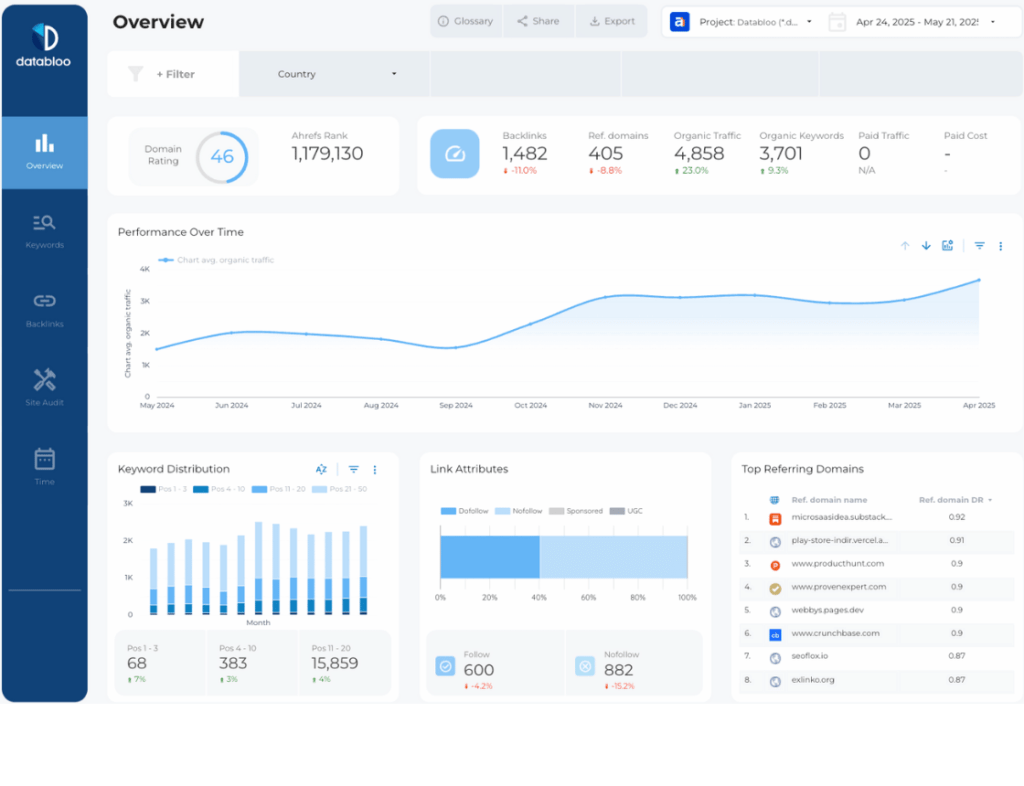
The Ahrefs SEO report gives you a deep view into backlink performance, keyword rankings, and competitive SEO metrics.
Key Features
- Backlink and referring domain trends
- Domain Rating (DR) and URL Rating (UR)
- Organic keyword visibility
- Top pages by backlinks
- Competitive SEO benchmarks
What You Can Do With This Report
Use this SEO report example to evaluate link-building performance, monitor authority growth, and understand how backlinks influence your organic rankings.
7) Semrush SEO Report Example
Source: Semrush
Setup: Medium — Semrush Connector (Available only for Guru and Business plans)
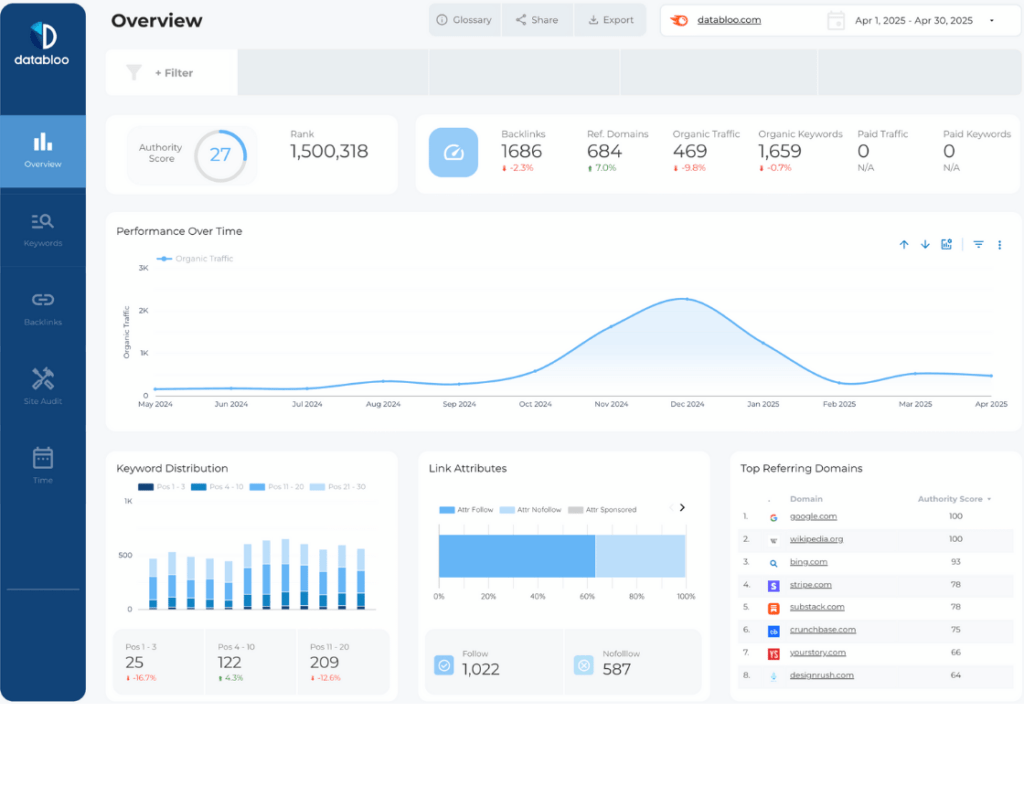
The Semrush SEO report focuses on competitive analysis, keyword tracking, and site visibility metrics.
Key Features
- Organic keyword tracking
- Visibility and traffic trends
- Competitive positioning
- Keyword intent and SERP features
- SEO performance comparisons
What You Can Do With This Report
This SEO reporting example helps you benchmark your site against competitors, uncover new keyword opportunities, and understand shifts in search visibility.
8) Custom SEO Dashboard Reporting Example
Source: Google Search Console, GA4, Ahrefs, Semrush, Google Business Profile, Youtube Analytics
Setup: Easy — Combine All Your SEO Data Sources
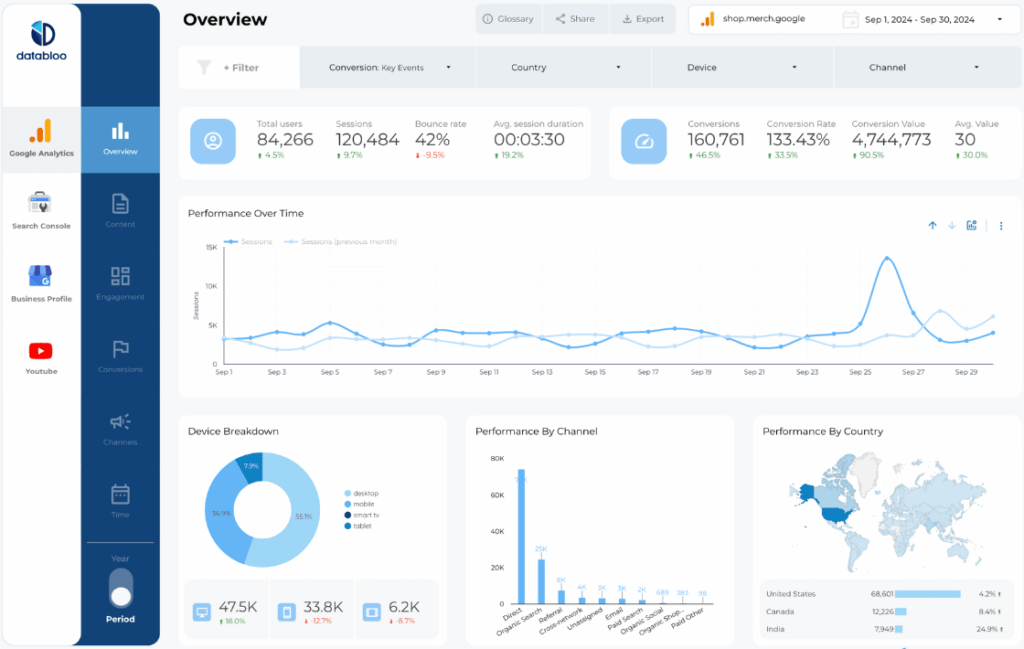
The Custom SEO Dashboard brings all your SEO data together into one fully customizable Looker Studio report.
Key Features
- Organic traffic and trend analysis
- Keyword rankings and visibility
- Backlinks and referring domains
- Technical SEO metrics
- Local and international SEO insights
- Custom KPIs, branding, and layout
What You Can Do With This Report
This SEO reporting example is ideal for agencies and advanced teams that need flexibility. You can tailor dashboards per client, campaign, or market and deliver real-time, actionable SEO insights without manual reporting.
9) Bonus: SEO Performance Analytics Report (GA4)
Source: Google Analytics 4
Setup: Easy — Native Connector for GA4
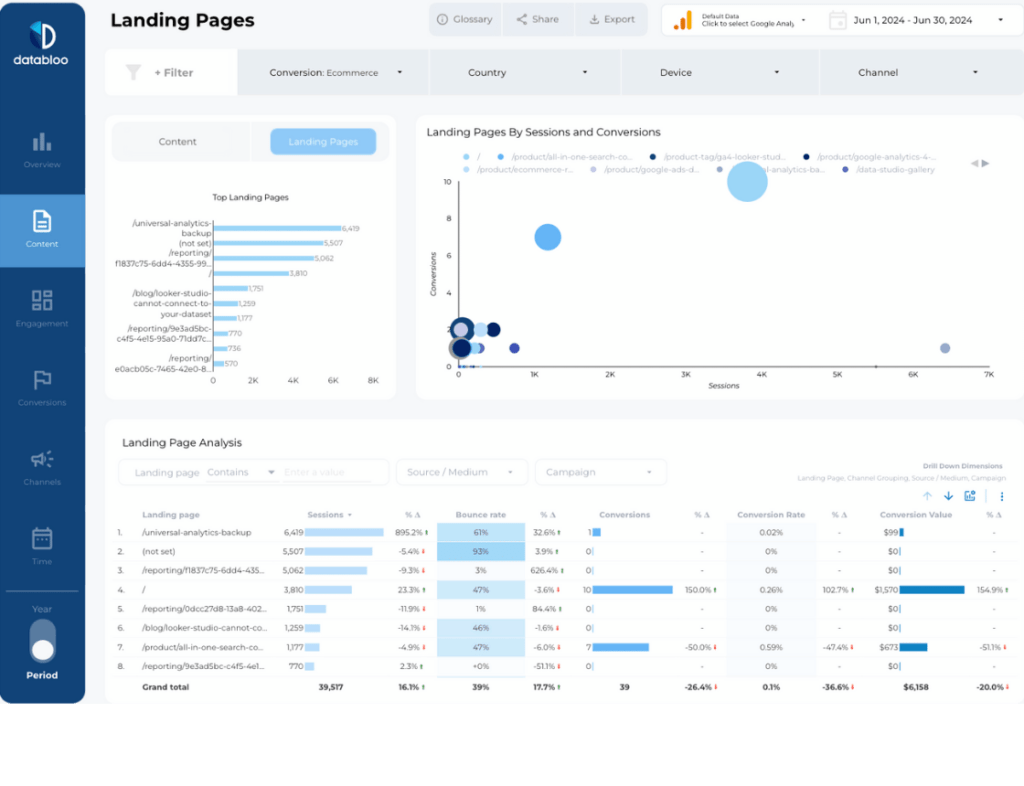
While GA4 isn’t an SEO tool, it’s essential for understanding what happens after the click.
Key Features
- Organic traffic acquisition metrics
- Landing page performance
- Engagement and conversion tracking
- Funnel analysis and user behavior
- Attribution insights
What You Can Do With This Report
This bonus SEO report example helps you connect rankings and traffic with real business outcomes. Understand which SEO efforts drive engagement, conversions, and revenue — not just visits.
Build Your Own SEO Report in Looker Studio
These SEO report examples show how flexible and powerful Looker Studio can be when paired with the right templates. Whether you’re creating monthly SEO report examples, managing multiple clients, or scaling in-house reporting, automation and clarity are key.
With Data Bloo templates, you can build professional SEO reports in minutes — no spreadsheets, no manual exports, no complex setup.
Browse All Looker Studio Templates
FAQ
What is an SEO report?
An SEO report summarizes a website’s organic performance, including traffic, keyword rankings, visibility, backlinks, and technical health.
What should an SEO report include?
A strong SEO report includes organic traffic, keyword rankings, top pages, backlinks, technical SEO metrics, and trends over time.
How often should you create SEO reports?
Most teams create monthly SEO report examples to track progress, identify trends, and adjust strategy.
Can SEO reporting be automated?
Yes. Using Looker Studio templates allows you to automate SEO reporting and keep data updated in real time.
Are these SEO report examples customizable?
Absolutely. All Data Bloo SEO reports can be customized with your KPIs, branding, filters, and layout.