






How to Connect Search Console to ChatGPT
Install the Data Bloo plugin from ChatGPT's directory, sign in once, and ask about your clicks, impressions, CTR and rankings straight from the chat. No Google Cloud project, no OAuth JSON, no terminal. Here's the 1-minute setup.
 ChatGPTData Bloo installed
 query_data · Search Console ✓
The Data Bloo plugin
Open Plugins in ChatGPT, search Data Bloo, hit Install and sign in. No Google Cloud project, no OAuth JSON, no server URL and no API key anywhere in this setup. Everything below is just where to click.
What connecting Search Console to ChatGPT actually means
You ask ChatGPT about your Search Console data and get a real answer, pulled from your actual property, in seconds. Type "@Data Bloo which queries lost the most clicks last month" and it reads your numbers, draws a small dashboard in the thread and tells you what slipped. No export, no report to open. The connection runs through the Data Bloo plugin in ChatGPT's own directory, takes about a minute to set up, and it's read-only.
Google doesn't publish an official Search Console MCP server. The ones that exist are open-source projects on GitHub, and they're capable, but every one of them asks you to create a Google Cloud project, enable the Search Console API, download an OAuth credentials JSON, edit a config file and run a server from your terminal. Data Bloo skips all of it: install from the directory, sign in once, ask in plain English.
Stop exporting Search Console. Start asking.
The same Search Console property you already trust for your Data Studio reports, now answering questions in a chat. No exports, no filters to rebuild every time.
Ask, get instant answers
"Which queries had the highest CTR last week?" ChatGPT pulls the numbers and explains them.
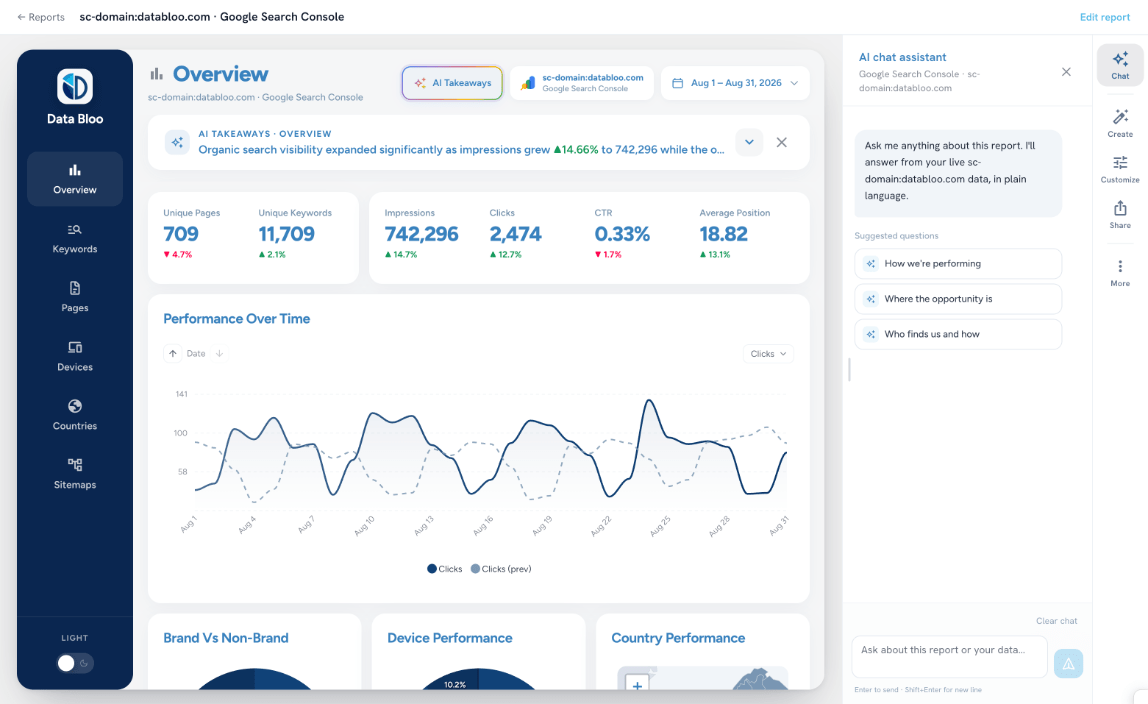
A dashboard, not a wall of text
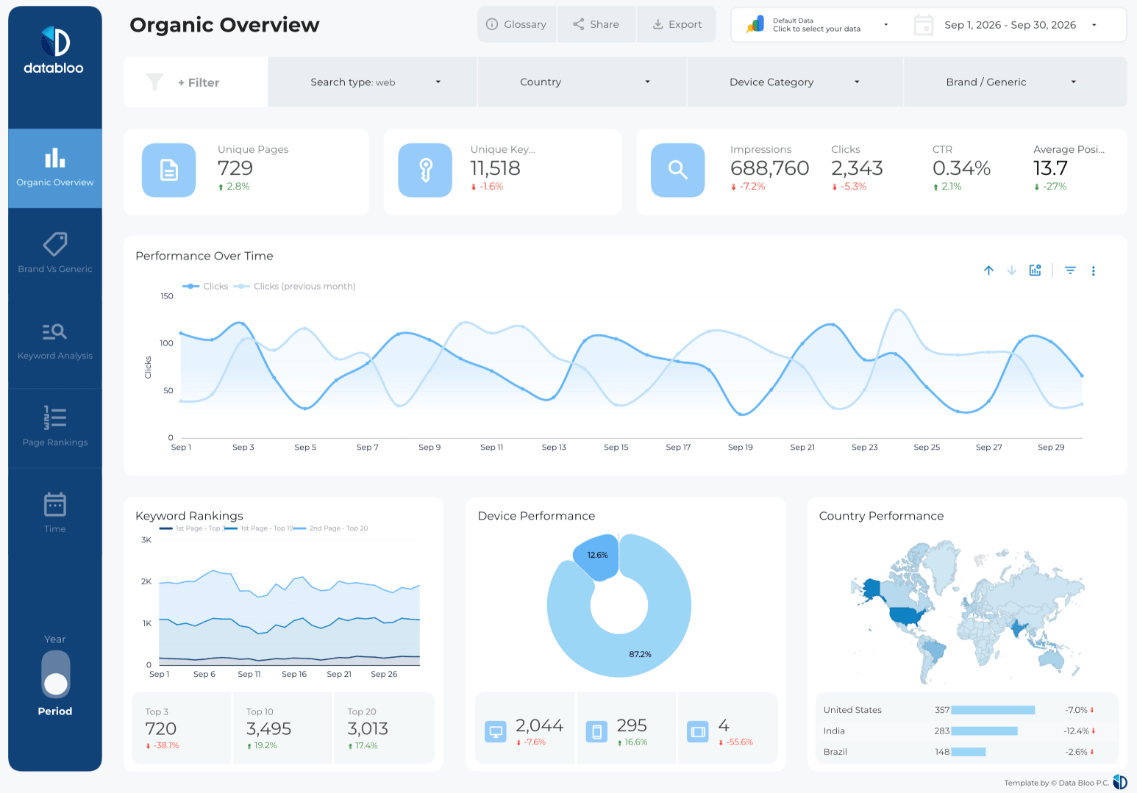
Clicks, impressions and CTR come back as tiles and a query table, drawn inside the thread.
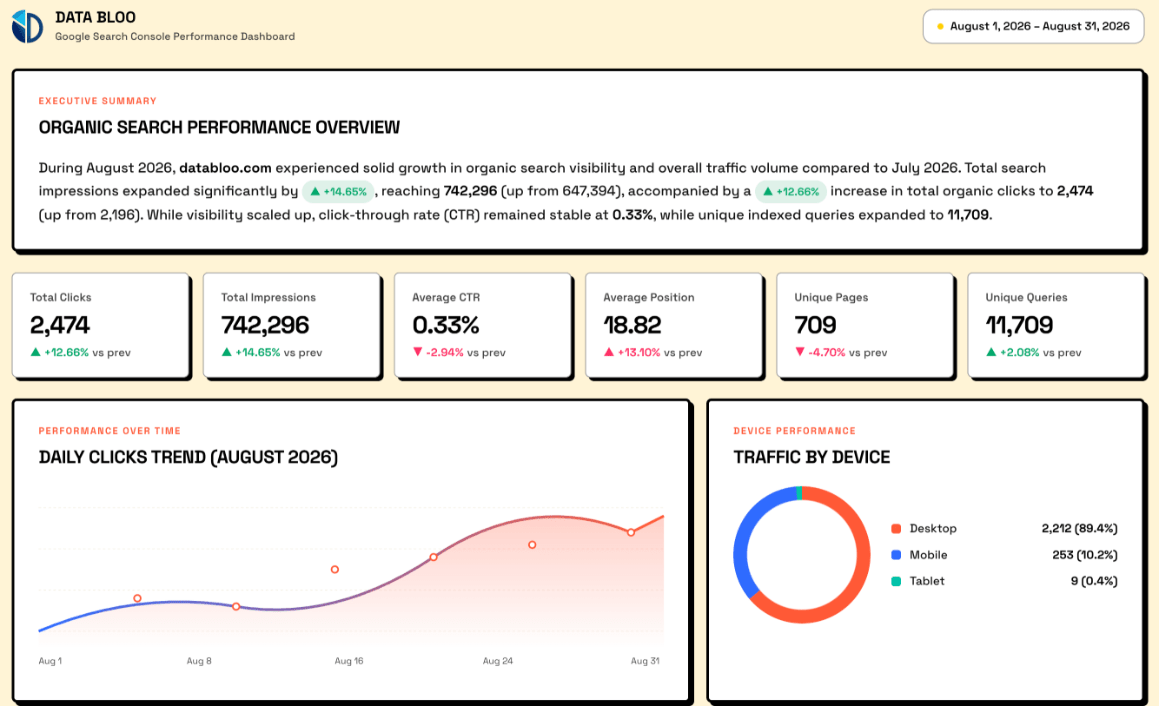
Client-ready summaries
"Turn last month's organic performance into an executive summary." Paste it into Slack, email or a doc.
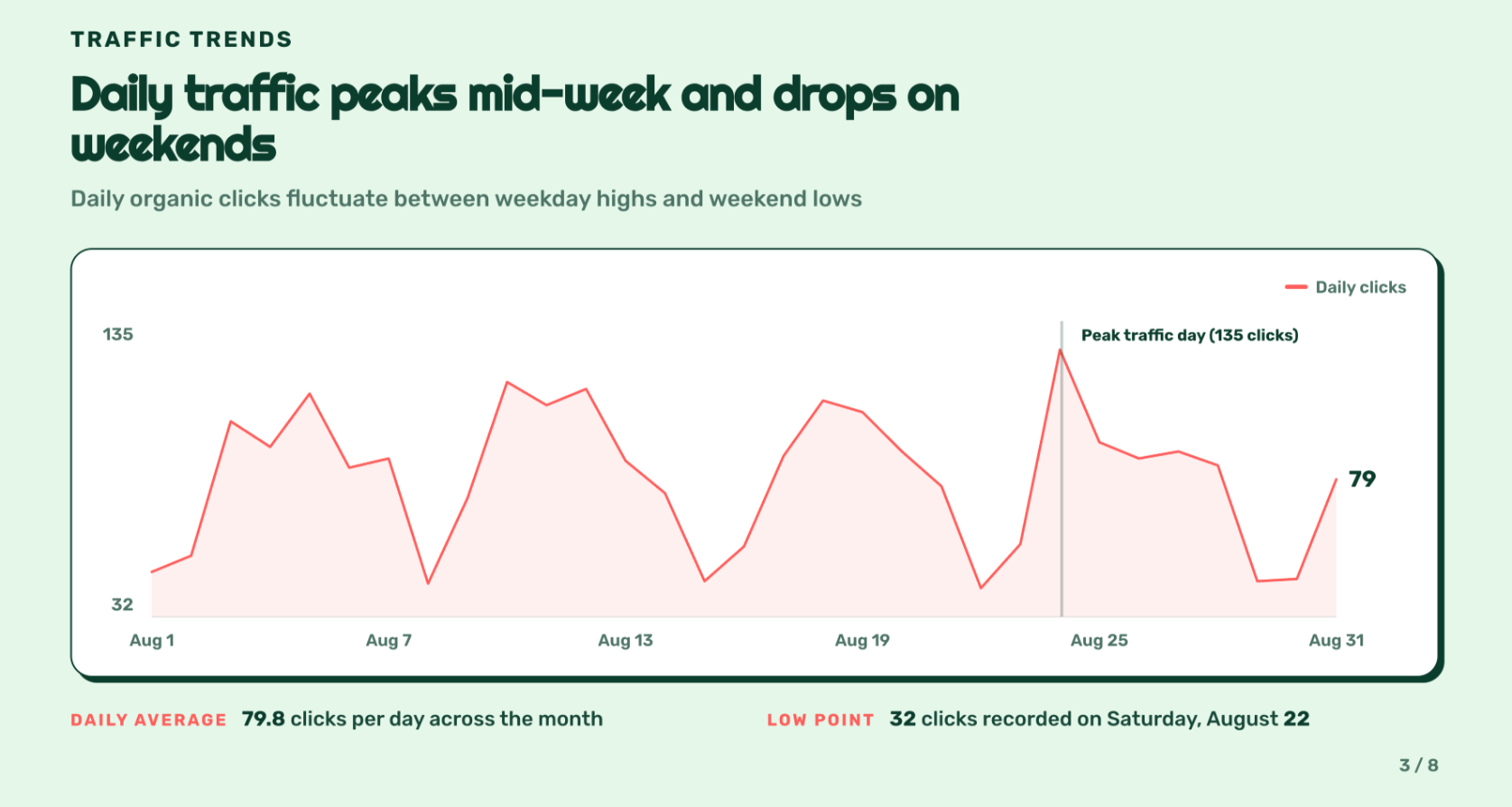
Diagnose traffic drops
"Why did clicks drop last week?" It looks across queries, pages and dates and finds what slipped.
Blend beyond Google
Line organic search up against Bing Webmaster, Facebook Ads or your WooCommerce revenue in one answer.
Connect once, use everywhere
The same property you linked for Data Studio is instantly available to ChatGPT, zero duplicate setup.
Search Console, plus every other connector
Already connected in Data Bloo? It's instantly available to ChatGPT, connect once, use everywhere.


Three ways to connect Search Console to ChatGPT
There are three real options, built for different people. Here's the honest version so you pick the right one the first time.
A connector like Data Bloo
One-click install from ChatGPT's directory, sign in once, ask in plain English. No Cloud project, no OAuth JSON, nothing to host. Read-only, blends organic with your other channels, and the same connection feeds your Data Studio reports.
An open-source MCP server
Google publishes no official Search Console MCP, but community projects on GitHub do the job. They're free and capable. The trade-off: a Google Cloud project, the Search Console API enabled, an OAuth JSON to download, a config file to edit and a server to run.
A manual export
Export the Performance report from Search Console, save the file, upload it into the chat. Free, and it works once. Then you rebuild the same filters next week, separately for every property.
Data Bloo vs an open-source MCP vs a manual export
| Data Bloo | Open-source MCP | Manual export | |
|---|---|---|---|
| Setup | ~1 min, one click | Cloud project, OAuth JSON, terminal | New export each time |
| Reads your data | Yes, live | Yes, live | A snapshot |
| Changes your property | No (read-only) | Varies by project | No |
| Blends other channels | Yes, 15+ connectors | No, Search Console only | By hand |
| Draws a dashboard in chat | Yes | Text answers | Text answers |
| Feeds Data Studio | Yes, same connection | No | No |
| Price | Free to start | Free, open source | Free |
| Upkeep | None | You host, update & re-auth it | Redo it each time |
The bottom line: if you're comfortable standing up a Cloud project and running a server, the open-source route is free and works. If you'd rather skip the setup tax entirely, ask in plain English, and see organic next to the rest of your marketing, that's Data Bloo.
When to use an open-source MCP instead
Data Bloo isn't the right tool for everyone. Google publishes no official Search Console MCP server, but several community projects on GitHub do the job well, they're free, open source, and if you want raw Search Console API access from a terminal they're the more direct route. You can also read and change the code, which matters to some teams.
The trade-off is everything around it. You create a Google Cloud project, enable the Search Console API, download an OAuth credentials JSON, edit a config file and keep a server running and updated. And they only see Search Console, so they can't tell you whether the organic clicks they're reporting turned into WooCommerce revenue, or how they compare with Bing. They also do nothing for the client dashboards you already send. That's the job Data Bloo does.
No setup tax and all your dashboards in one connection
Every other route to Search Console in ChatGPT asks you to become a developer first, or to keep exporting by hand. Data Bloo asks for neither. It reads, it reports, and the exact same connection already powering your Data Studio dashboards now answers questions in ChatGPT.
Nothing to install, nothing to host
No Google Cloud project to stand up, no Search Console API to enable, no OAuth JSON to paste into a config file, no terminal. You install one plugin and sign in. All seven tools are read-only, so ChatGPT can read and analyze your Search Console data but can't change a thing.
One connection, two surfaces
The Search Console source you built for Data Studio is the same one ChatGPT reads. No second setup, no second bill, and the numbers ChatGPT quotes always match the dashboards you send clients. It's the one thing a self-hosted, Search-Console-only server structurally can't give you.
What you need
How to connect Search Console to ChatGPT
Seven clicks, start to finish. It works the same on ChatGPT web and the desktop app.
If you already use Data Bloo for your Data Studio reports, skip this, your property is ready. If not, sign up free and link your Search Console property once.
Jump straight to Data Bloo in the ChatGPT plugin directory. You'll see sample prompts and the list of supported sources, Google Search Console among them.
Open Data Bloo in ChatGPT →The black Install plugin button sits at the top right of the listing, next to the Data Bloo name.
ChatGPT opens Data Bloo's sign-in page. Log in with your Data Bloo account (or the email you use for your connectors) and approve read access.
Once installed, the button flips from Install plugin to Try in chat. Click it to jump straight into a new conversation.
Try: "@Data Bloo Pull clicks, impressions, CTR and average position for my Search Console property for the last 30 days."
If you have more than one property, ChatGPT asks which to analyze. Answer, and it returns a rendered dashboard plus a written read of what moved and why.
Confirm it works: in a fresh chat, type "@Data Bloo list all the Search Console properties I have connected." If your property comes back in the list, you're connected.
Take the plugin for a spin
Click through the whole thing, install to a live analysis, no signup, right here in the page.
Seven read-only tools, and nothing to install
You ask in plain language, ChatGPT picks the tool. The usual path for a Search Console question: get_connector_accounts → list_fields → query_data.
get_userlist_data_sourcesget_connector_accountslist_fieldsquery_datalist_accountsget_datesPlus a built-in skill. The plugin ships with data-bloo-channel-analysis, so ChatGPT doesn't just fetch rows, it knows how an SEO reads them: what's in striking distance, what's decaying, and what to fix first.
Read-only, always. ChatGPT can pull and analyze your Search Console, it can never change a setting, submit a sitemap or touch your property.
What ChatGPT actually gives you back
Three prompts and the kind of answer ChatGPT returns once Search Console is connected through Data Bloo, numbers, then a plain-language read.
ChatGPT: 18,940 clicks from 612,400 impressions, a 3.09% CTR at average position 12.4. Clicks are up 7%, but impressions are up 19%, so you're being shown more and clicked proportionally less.
ChatGPT: Fourteen queries. The biggest three, data studio connector (42,100 impressions, position 11.3), gsc report template (18,600, position 12.8) and marketing dashboard template (15,900, position 14.1).
ChatGPT: Branded, 6,180 clicks at a 22.4% CTR, average position 1.8. Non-branded, 12,760 clicks at a 2.1% CTR, average position 15.2. Non-branded is 67% of clicks and 91% of impressions.
Example outputs shown for illustration; your figures come live from your own connected property.
What do you want to create?
Pick a format, a source and an account. Data Bloo uses AI to build it with your numbers and your branding.
 Data Studio
Opens a template in Data Studio, already connected to this account.
Previewing
Data Studio
Opens a template in Data Studio, already connected to this account.
Previewing
What Search Console data you can pull
Everything in the Performance report, plus a few splits the Search Console UI makes you build by hand.
Search Console prompts to paste into ChatGPT
Start each one with @Data Bloo so ChatGPT reaches for your property instead of guessing.
Built for how you actually work
Same connection, different job to be done. Here's the prompt each type of marketer tends to start with.
Agencies
Pull and compare across every client property without switching logins, then draft the monthly SEO report in the chat.
E-commerce & DTC
Find the product and category queries you almost rank for, and line organic clicks up against store revenue.
Content & SEO teams
See which posts are decaying, which are climbing, and where a refresh pays back fastest.
Common issues and fixes
Start the message with @Data Bloo. Without the mention it may answer from general knowledge instead of reaching for the plugin, and you'll get a confident, generic reply that has nothing to do with your property.
These are two different properties in Search Console and they return different numbers. A domain property looks like sc-domain:example.com and covers every subdomain and protocol; a URL-prefix property looks like https://example.com/ and covers only that exact prefix. If a total looks too small, you're probably on the prefix one. Ask ChatGPT which it's querying.
This one confuses everybody, and it isn't Data Bloo. Google anonymizes rare queries, ones not searched by more than a few dozen users over two to three months, and leaves them out of the query table to protect privacy, while still counting them in your totals. So the sum of your queries will always be less than your total clicks. Nothing is broken.
Search Console itself only keeps 16 months of performance data, so nothing downstream can go further back. If you want year-over-year comparisons beyond that, feed the data into a Data Studio report and let it accumulate.
That's on purpose. The connection is read-only, so nothing in Search Console can be changed from a chat, no sitemap submissions, no settings. If you need to change something, do it in Search Console itself.
Query notes & FAQs
Connect your Search Console property in Data Bloo, then open Plugins in ChatGPT, search for Data Bloo, click Install plugin and sign in with your Data Bloo account. Ask your first question with @Data Bloo. About a minute end to end, with no Cloud project, no OAuth JSON and no terminal.
It's free to start, no credit card. The free tier includes plugin access with usage limits; paid plans raise the limits and add more connected accounts.
No. All seven Data Bloo tools are strictly read-only. ChatGPT can pull and analyze your data but can never change a setting, submit a sitemap or touch your property.
No. Google doesn't publish one. The servers that exist are community open-source projects on GitHub, and they work, but each one needs a Google Cloud project, the Search Console API enabled, an OAuth JSON and a server you run and maintain yourself. Data Bloo is the hosted, no-code route that also blends organic with your other channels.
No. Data Bloo is a listed plugin in ChatGPT's directory, so installing is one click and a sign-in. A server URL is only needed for clients without a directory, like Claude, and that's covered on our Search Console to Claude page.
16 months. That's a Search Console limit, not a Data Bloo one, so no connector or MCP server can go further back. For longer trends, let a Data Studio report accumulate the data over time.
Yes. Connect each property in Data Bloo and name the client in your prompt. If you don't specify, ChatGPT asks which property to analyze before it queries anything, so you won't get one client's numbers into another client's report by accident.
Yes. As long as they're connected in Data Bloo, ask ChatGPT to compare organic clicks against Bing Webmaster, GA4 sessions, Google Ads spend or your WooCommerce revenue, and it pulls one blended answer. That's the piece a Search-Console-only server can't do.
Google anonymizes rare queries to protect privacy, so they're left out of the query table but still counted in your totals. The sum of your queries will always be lower than your total clicks. It's expected behaviour, in Search Console and in every tool that reads it.
The Data Bloo plugin ships its own interface, so results render as KPI tiles and a query table inside the chat. The written analysis still appears underneath, and you can ask for a plain table any time.
Pick how many accounts. Everything else is included.
Every data source, every destination, the Data Bloo MCP and white-label reports come with every paid plan.


Chat with your Search Console data today
Install the Data Bloo plugin in ChatGPT in about a minute and ask your first question. Free to start, no credit card, read-only.