








How to Connect Data Bloo to Claude with MCP
Connect Data Bloo to Claude with MCP and pull Facebook Ads, Instagram, Search Console and WooCommerce numbers straight from the chat, no dashboards, no exports. Here's the 2-minute setup.
The Data Bloo connector
Open the Data Bloo listing in Claude's directory, hit Connect and sign in. There's no server URL, no client ID and no API key anywhere in this setup. Everything below is just where to click.

Stop waiting on data pulls. Start acting on them.
The same connectors you already trust for your Data Studio reports, now answering questions in a chat. No exports, no dashboards to open.
Ask, get instant answers
"Which Facebook Ads campaigns had the highest CTR last week?" Claude pulls the numbers and explains them.
Reports inside the chat
Ask for a 30-day performance view and get tables plus a summary ready to share, no Data Studio setup.
Client-ready summaries
"Turn the last 30 days of Facebook Ads into an executive summary." Paste it into Slack, email or a doc.
Diagnose dips fast
"Why did our spend jump on Tuesday?" Claude looks across campaigns, placements and dates and explains it.
Automate the routine
Pair it with scheduled tasks for a Monday-morning KPI digest or anomaly alerts, unattended.
Connect once, use everywhere
The same accounts you linked for Data Studio reports are instantly available to Claude, zero duplicate setup.
What do you want to create?
Pick a format, a source and an account. Data Bloo uses AI to build it with your numbers and your branding.
 Data Studio
Opens a template in Data Studio, already connected to this account.
Previewing
Data Studio
Opens a template in Data Studio, already connected to this account.
Previewing
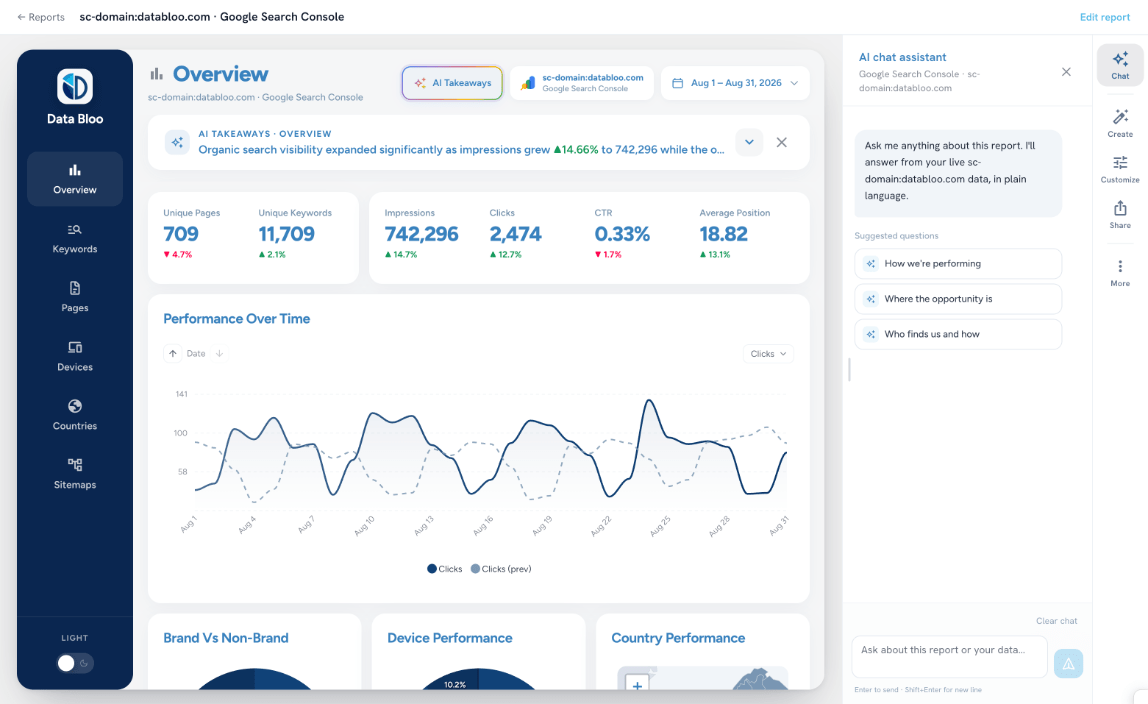
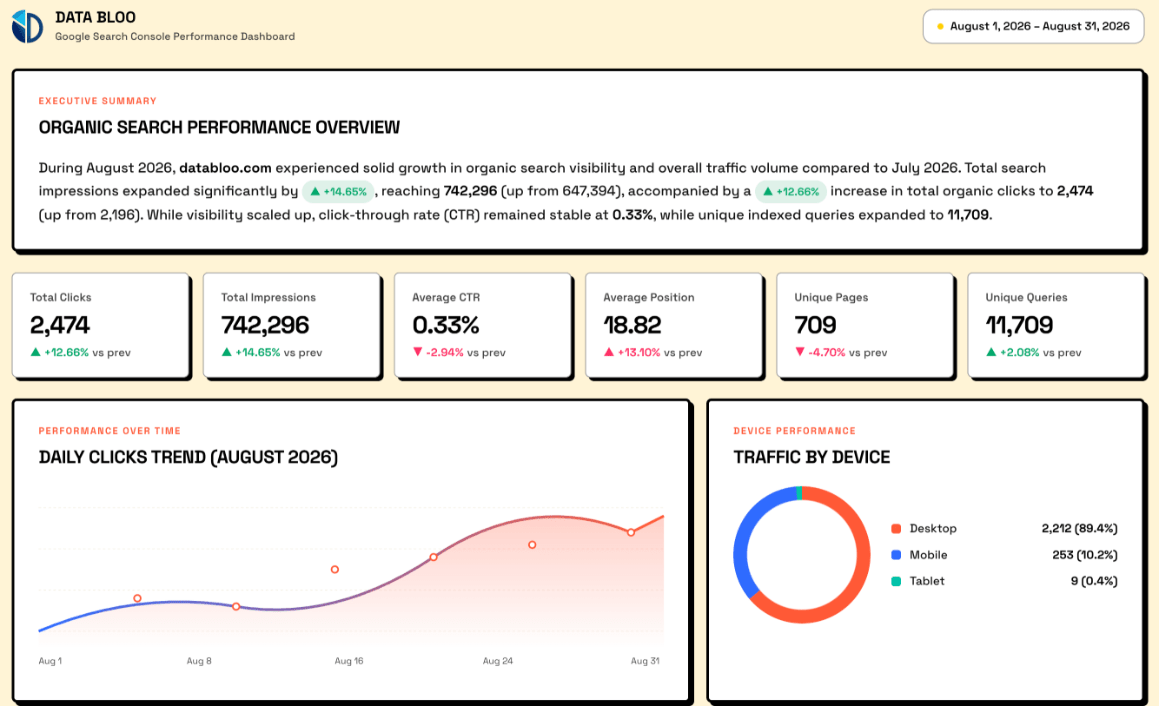
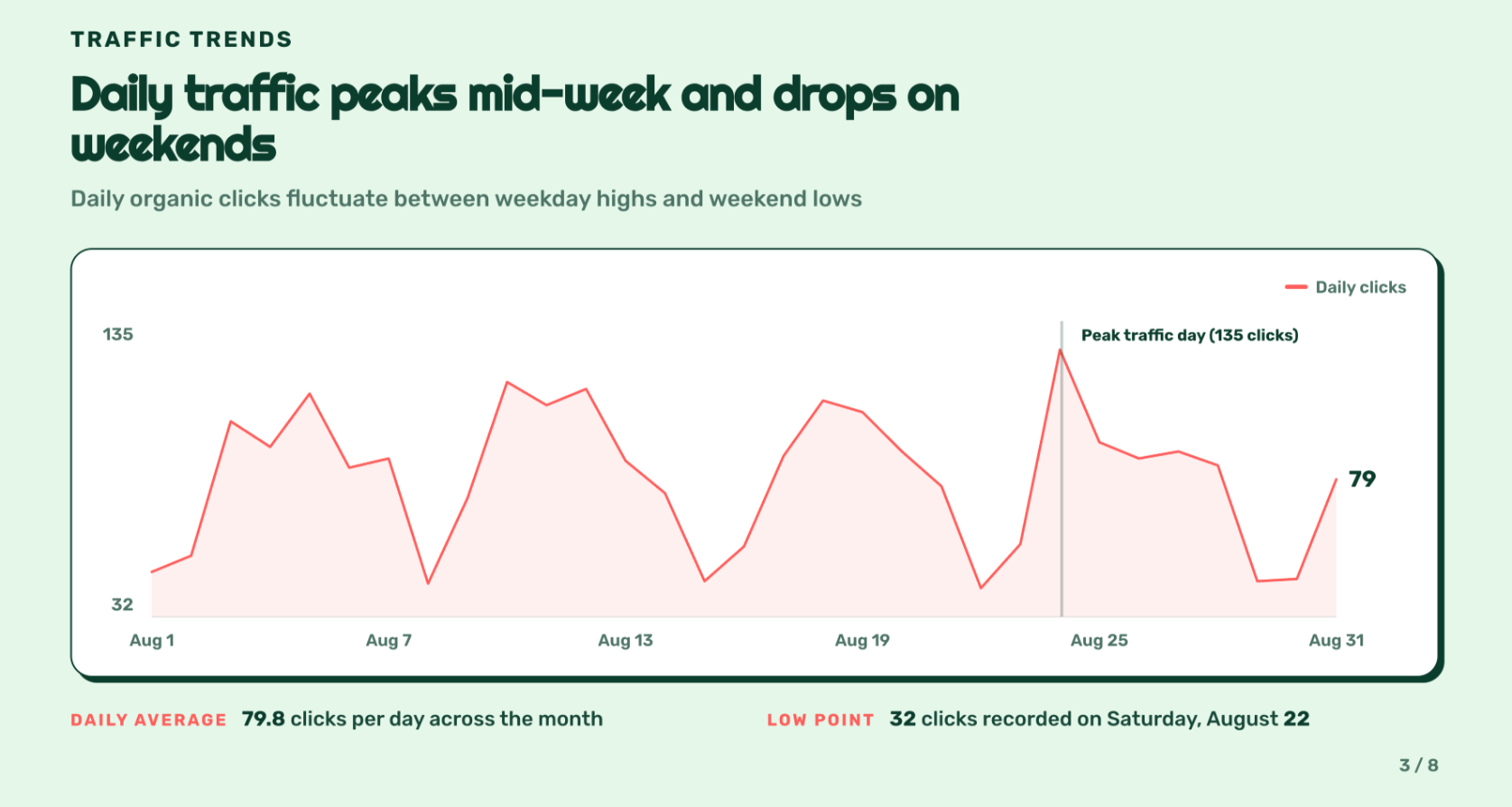
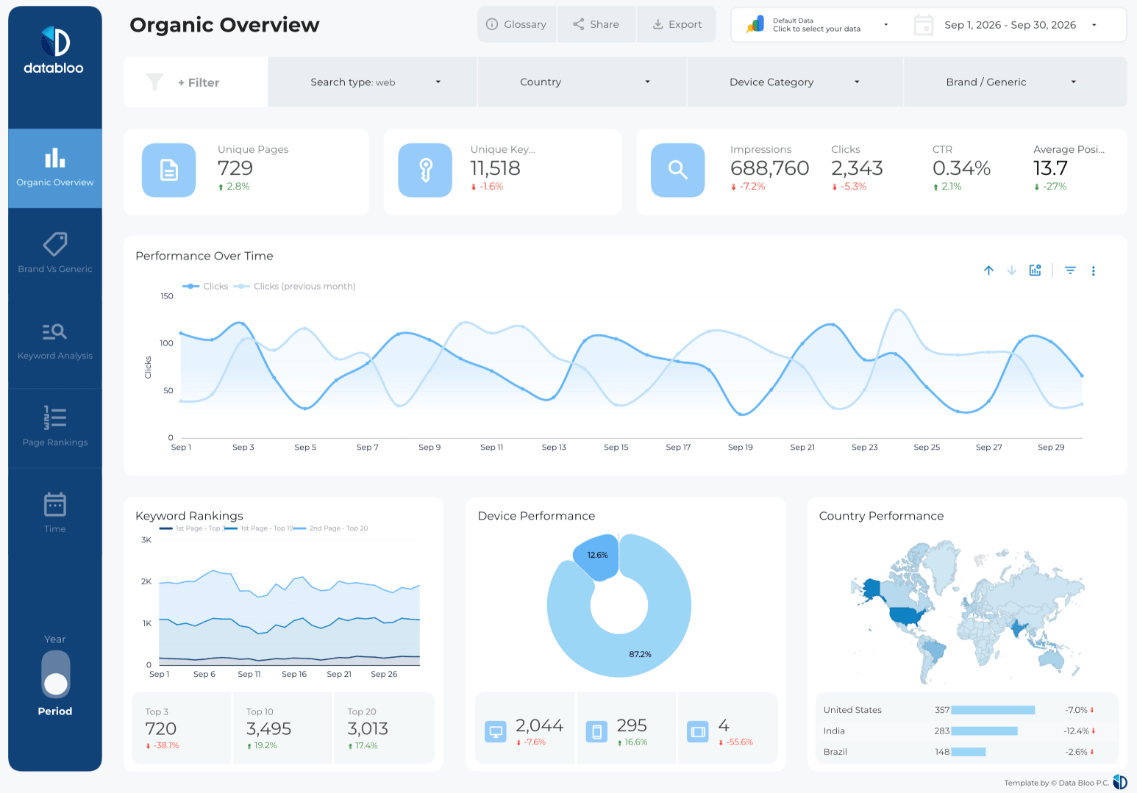
Every connector, right inside the chat
Connect any platform to Claude in a few clicks, then ask for the numbers in plain English.



How to connect Data Bloo to Claude
Pick your Claude client. Desktop & Web are easiest for most marketers; Claude Code is a one-liner for developers.
Go straight to Data Bloo in the Claude directory. You’ll see what it does and every source it supports.
Open Data Bloo in Claude →The Connect button sits at the top right of the listing. It works the same on claude.ai and Claude Desktop.
Claude opens Data Bloo’s sign-in page. Log in with your Data Bloo account and approve read access. Nothing in your accounts can be changed.
Try: "Using Data Bloo, show me my key metrics for the last 30 days and what changed." Claude returns a table plus a short analysis you can share.
Open your terminal and run:
claude mcp add --transport http databloo https://mcp.databloo.com/mcp
Next time you start a Claude Code session, Claude opens your browser to sign in to Data Bloo. Sign in once, the connection persists across sessions.
Run /mcp list, you should see databloo with status connected.
Confirm it works: in a fresh chat, ask "Using Data Bloo, list all the data source accounts I have connected." If Claude returns your accounts, you're fully connected.
Take the MCP for a spin
Walk through connecting Data Bloo to Claude and pulling a report, no signup, right here in the page.
Seven read-only tools Claude uses for you
You just ask in plain language, Claude picks the right tool. The typical flow: list_data_sources → get_connector_accounts → list_fields → query_data.
get_userlist_data_sourcesget_connector_accountslist_fieldsquery_datalist_accountsget_datesRead-only, always. Claude can pull and analyze your data, it can never change anything in your ad accounts or Data Bloo settings.
Prompts to paste into Claude
Once connected, drop any of these into a fresh chat. Start broad, then drill in.
Query notes & FAQs
You can start free, the free tier includes MCP access with usage limits (calls per period). Paid plans raise the limits and unlock more connected accounts. No credit card required to try it.
No. All seven MCP tools are strictly read-only. Claude can pull and analyze your data but can never edit campaigns, budgets or any account settings.
Any MCP-compatible client, Claude Desktop, Claude Web, Claude Code, plus ChatGPT, Gemini and others that accept remote MCP servers. The same URL works across all of them.
No. If your accounts are already connected in Data Bloo for your Data Studio reports, they're instantly available to Claude through the MCP, connect once, use everywhere.
Claude queries your data live through Data Bloo's connectors at the moment you ask, subject to each platform's API freshness and your plan's refresh limits.
Yes. Pair the MCP with Claude's scheduled tasks (or Claude Code) to receive a Monday-morning KPI digest, anomaly alerts or client updates automatically.
Pick how many accounts. Everything else is included.
Every data source, every destination, the Data Bloo MCP and white-label reports come with every paid plan.


Chat with your marketing data today
Connect Data Bloo to Claude in under 2 minutes and start pulling reports straight from the chat. Free to start, no credit card.