Table of Contents
Stay up to date with the latest features, improvements, and releases in Data Studio — curated by Data Bloo. From new charting options and responsive layouts to AI-powered tools and Pro capabilities, we bring you quick summaries and links to in-depth articles so you can get the most out of your reporting experience.
April 2026 Updates
Data Studio Rebrand and Updated Home Page
Google has officially rebranded Looker Studio as Data Studio. Alongside the new name, the home page has been redesigned to act as a single hub for your Data Studio reports and data sources, BigQuery conversational agents, and data apps built in Colab notebooks — making it easier to move between different analytics workflows in one place.
A New Conversational Analytics Experience
Available in preview, the new Conversational Analytics experience is now open to all Data Studio users and no longer requires Gemini in Data Studio (formerly Gemini in Looker) to be enabled. You can consume data agents that were created in BigQuery, though agent creation itself has moved out of Data Studio. A legacy view remains accessible whenever you need to revisit past conversations or agents.
February 2026 Updates
Link to a Chart in a Report
You can now create a direct link to a specific component within your report — such as an individual chart or control. This makes it much easier to share precise insights with stakeholders, reference a specific visualization in a conversation, or build internal navigation between related sections of a dashboard.
Export Chart to Image
Looker Studio now lets you export any chart as a standalone image. You can save it as a PNG file or copy it directly to your clipboard — handy for dropping visuals into presentations, emails, or client documents without resorting to screenshots.
January 2026 Updates
Show and Hide Individual Charts and Components
You can now hide individual charts and components, either for all viewers or for a specific subset of viewers. This gives you finer control over what different audiences see in the same report — useful for tailoring views by role, region, or access level without having to maintain duplicate dashboards.
Histogram Chart
Looker Studio now supports histogram charts, a new option for visualizing the shape, center, and spread of your data. Histograms can surface distribution patterns that often get lost in pie or bar charts, making them a strong fit for analyzing things like session durations, order values, or score ranges.
October 2025 Updates
Slack Integration in Looker Studio Pro
Looker Studio Pro now integrates directly with Slack, allowing teams to automate report deliveries to channels or users. You can schedule dashboards to post as PDFs with direct “View in Looker Studio” links, keeping insights flowing where collaboration happens.
Admins can manage connected workspaces, set delivery frequency, and control access via Enterprise Admin → Slack Integration.
This feature enhances collaboration by bringing real-time analytics straight into your team’s workflow.
March 2025 Updates
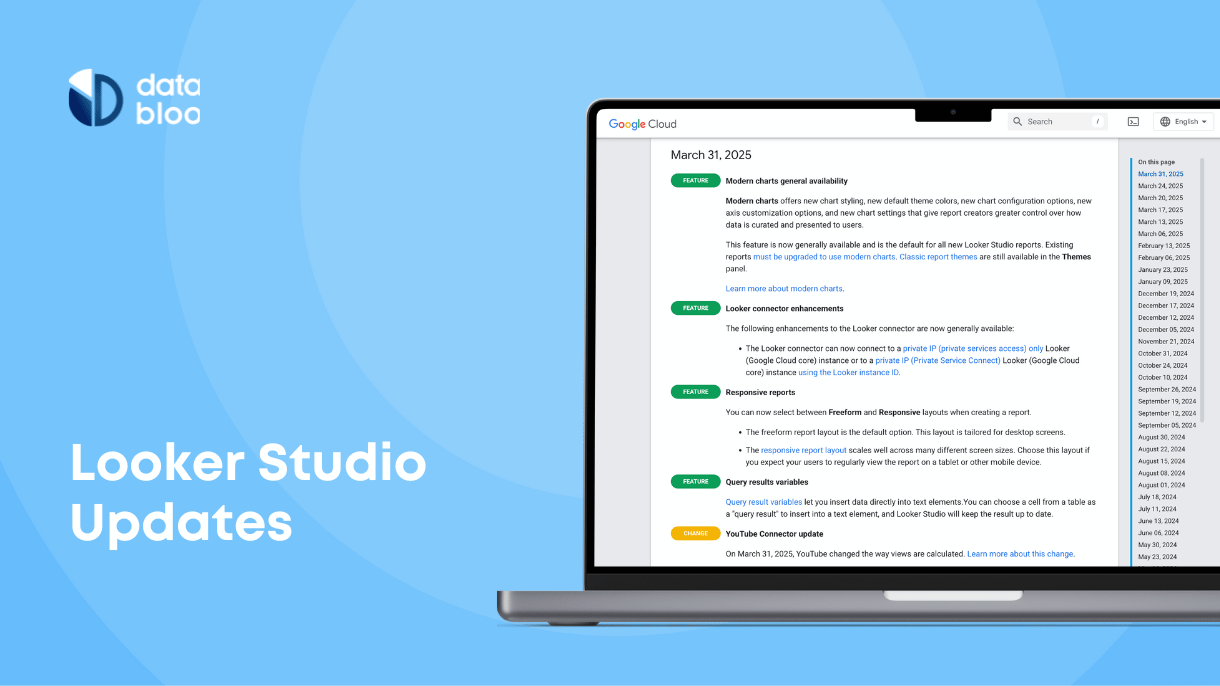
Query Result Variables (Chips) in Looker Studio
Looker Studio now supports Query Result Variables, also known as “Chips.” This feature lets you insert live data values directly into text boxes, making your reports more dynamic and easier to interpret. It’s a simple way to highlight key metrics within your narrative text.
Responsive Reports in Looker Studio
A new Responsive Layout option allows your reports to automatically adjust to different screen sizes. Using a 12-column grid and flexible vertical sections, this update helps you build mobile-friendly dashboards without extra formatting effort.
February 2025 Updates
Modern Charts in Looker Studio
Looker Studio has introduced Modern Charts, enhancing data visualization with new styling options and improved customization controls. Features include rounded edges, gradient line styles, transparency controls, and refined axis settings, offering a fresh look to reports.
July 2024 Updates
Introducing Looker Studio Gemini AI
Google unveiled Gemini AI for Looker Studio, integrating AI-driven capabilities to simplify data analysis. Key features include a Formula Assistant for creating calculated fields using natural language, seamless integration with Google Slides for easy sharing, and Conversational Analytics for interacting with data through natural language queries.
October 2023 Updates
Introducing Looker Studio Pro
Looker Studio Pro, the paid version of Looker Studio, offers advanced features such as Gemini AI integration, enhanced content management, and enterprise capabilities. It provides organizations with tools to create interactive data visualizations and manage reports and data sources securely.